Rails 8 Authentication Generator: What You Still Build
Use the Rails 8 authentication generator for login, password resets, and database-backed sessions, then build sign-up, confirmation, lockout, and 2FA.
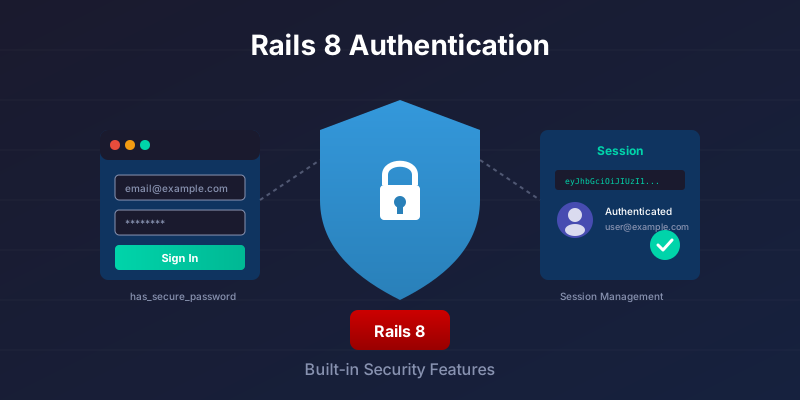
Rails 8 changes the old "Devise or roll your own?" conversation, but it does not make Devise disappear. The authentication generator gives you has_secure_password, timing-safe authenticate_by, password resets, and database-backed sessions in files that live inside your app. You still have to add sign-up, confirmation, lockout, invitations, 2FA, and policy choices yourself.
That is the decision this post is about. Use the generator when the generated login/reset/session core is enough and owning the code matters. Use Devise when the missing modules are launch requirements and you would rather configure a mature gem than maintain those flows.
What you get out of the box
Run:
bin/rails generate authentication
This scaffolds a minimal but complete setup: a User model with secure passwords, a Session model and controller for sign-in/sign-out, a PasswordsMailer and actions for password resets, plus a concern to require authentication in controllers. You then add your own sign-up flow.
Important notes:
- The generator focuses on login and password reset. It intentionally leaves sign-up to you, since every app's registration differs.
- Sessions are persisted in a
sessionstable and tied to a signed cookie. This gives you revocation and multi-device control without third-party gems.
Rails 8 vs Devise: Where Each Fits
The Rails 8 generator wins when you value owning the code and your auth needs are standard. Devise wins when you need confirmable, lockable, or invitable working on day one and don't want to write them. Both resist timing attacks and both hold up in real apps; the difference is where the code lives and how much of it you maintain.
| Rails 8 generator | Devise | |
|---|---|---|
| Dependencies | None (ships with Rails) | devise gem + Warden |
| Where the code lives | ~10 files in your app, fully visible | Inside the gem, configured via DSL |
| Sessions | DB-backed, revocable per device | Cookie-based (Rememberable for persistent) |
| Password reset | Built-in (generates_token_for) |
Recoverable module |
| Email confirmation | DIY (generates_token_for) |
Confirmable module (built-in) |
| Account lockout | DIY | Lockable module (built-in) |
| OAuth / social login | OmniAuth, wired by hand | omniauth + Devise integration |
| Two-factor (2FA) | DIY | devise-two-factor (community) |
| Invitations | DIY | devise_invitable |
| Timing-attack safe | Yes (authenticate_by) |
Yes (secure compare) |
| Customizing flows | Edit your own controllers | Override controllers, work with conventions |
| Maturity | Since Rails 7.1/8 | Since 2009 |
| Best for | New apps, teams wanting full control | Apps needing confirmable/lockable/invitable now |
The rest of this post fills the "DIY" rows that matter most in practice - email confirmation, listing and revoking sessions, and rate limiting - so the gap with Devise is smaller than the table suggests.
What this post does not build: OmniAuth, invitations, 2FA, enterprise SSO, passwordless login, or account lockout. Those are not afterthoughts. If two or three of them are required for launch, Devise or a dedicated identity provider should be in the comparison before you start writing controllers.
Step 1: Install and migrate
Version note: the Rails 8 authentication generator adds the login/session core, password reset flow, models, controllers, views, routes, migrations, and bcrypt. It does not generate sign-up. Treat sign-up, confirmation, lockout, 2FA, invitations, and SSO in this post as application policy code layered on top of the generator, not generated Rails output.
# add auth scaffolding
bin/rails generate authentication

# create users and sessions tables
bin/rails db:migrate
If you are upgrading an existing app, make sure bcrypt is in the Gemfile and the mailer host and URL options are configured, or password-reset links will point nowhere. The generator adds the migrations for the users and sessions tables itself.
Step 2: Review the generated models
User model highlights
has_secure_passwordstores a BCrypt hash inpassword_digest.- You get
passwordandpassword_confirmationvirtual attributes. authenticate_byprovides safe credential checks that resist timing-based user enumeration and should be used in the Sessions controller.
Session model highlights
- Records active sessions with metadata like user agent and IP, and links them to a browser cookie. This enables forced logouts across devices later.
Step 3: Add a simple sign-up flow
The generator does not create sign-up screens. Here is a minimal implementation.
# app/controllers/users_controller.rb
class UsersController < ApplicationController
  # Let guests access sign-up (allow_unauthenticated_access comes from the generated Authentication concern)
  allow_unauthenticated_access only: %i[new create]

  def new
    @user = User.new
  end

  def create
    @user = User.new(user_params)
    if @user.save
      start_new_session_for @user # signs them in: sets Current.session AND the signed session cookie
      redirect_to root_path, notice: "Welcome!"
    else
      render :new, status: :unprocessable_entity
    end
  end

  private

  def user_params
    params.require(:user).permit(:email_address, :password, :password_confirmation)
  end
end
<!-- app/views/users/new.html.erb -->
<h1>Create account</h1>
<%= form_with model: @user do |f| %>
  <%= f.label :email_address %>
  <%= f.email_field :email_address, autofocus: true %>

  <%= f.label :password %>
  <%= f.password_field :password %>

  <%= f.label :password_confirmation %>
  <%= f.password_field :password_confirmation %>

  <%= f.submit "Sign up" %>
<% end %>
Registration is the one part of auth that differs in every app, which is why the generator leaves it to you and keeps sessions and resets for itself.
Step 4: Login and logout with authenticate_by
Use the safer authenticate_by method. It computes a password digest even when the user record is missing, which removes timing side-channels.
# app/controllers/sessions_controller.rb
class SessionsController < ApplicationController
  allow_unauthenticated_access only: %i[new create]

  def new; end

  def create
    # authenticate_by avoids timing attacks
    if user = User.authenticate_by(email_address: params[:email_address], password: params[:password])
      start_new_session_for user # creates the Session row, sets Current.session AND the signed cookie
      redirect_to after_authentication_url, notice: "Signed in"
    else
      flash.now[:alert] = "Invalid email or password"
      render :new, status: :unprocessable_entity
    end
  end

  def destroy
    terminate_session # destroys the Session row AND deletes the cookie
    redirect_to root_path, notice: "Signed out"
  end
end
Why authenticate_by instead of find_by(...).authenticate? It standardizes timing, so attackers cannot infer whether an email exists.
Do not hand-roll the session step as Current.session = user.sessions.create!. That creates the row but never sets the signed session_id cookie, so the concern's resume_session finds nothing on the next request and the user is bounced straight back to the login screen. start_new_session_for (from the generated concern, shown in Step 7) does both: it writes the row and sets cookies.signed.permanent[:session_id]. terminate_session is its inverse, destroying the row and deleting the cookie, and after_authentication_url returns the page the visitor was heading to before login redirected them.
Step 5: Password resets without rolling your own token table
Rails extends has_secure_password with a built-in password reset token and finder, with a default short expiry. You get a reset flow without rolling your own signing or token tables.
# app/models/user.rb
class User < ApplicationRecord
  has_secure_password
  # optionally add: generates_token_for :magic_login  # for custom tokens
end
# app/controllers/passwords_controller.rb  (simplified)
class PasswordsController < ApplicationController
  allow_unauthenticated_access

  def create
    if (user = User.find_by(email_address: params[:email_address]))
      PasswordsMailer.reset(user, token: user.password_reset_token).deliver_later
    end
    redirect_to new_session_path, notice: "If your email exists, you will receive reset instructions"
  end

  def edit
    @user = User.find_by_password_reset_token(params[:token])
    redirect_to new_session_path, alert: "Token invalid or expired" unless @user
  end

  def update
    @user = User.find_by_password_reset_token(params[:token])
    return redirect_to new_session_path, alert: "Token invalid or expired" unless @user

    if @user.update(user_params) # includes password and confirmation
      redirect_to new_session_path, notice: "Password changed. Please sign in"
    else
      render :edit, status: :unprocessable_entity
    end
  end

  private

  def user_params
    params.require(:user).permit(:password, :password_confirmation)
  end
end
For custom purposes such as magic links or email confirmation, use generates_token_for.
Step 6: Email confirmation with generates_token_for
The generator skips email confirmation, but you don't need Devise's Confirmable for it. generates_token_for signs a token whose payload includes a value you choose. When that value changes, every previously issued token stops verifying. Embed confirmed_at, and the confirmation link self-destructs the moment the user clicks it.
# app/models/user.rb
class User < ApplicationRecord
  has_secure_password
  has_many :sessions, dependent: :destroy

  normalizes :email_address, with: ->(e) { e.strip.downcase }

  # The block return value is baked into the token's signature.
  # Once confirmed_at is set, the old token no longer validates,
  # so a confirmation link can't be replayed.
  generates_token_for :email_confirmation, expires_in: 1.day do
    confirmed_at
  end
end
Add the column the token reads from:
# db/migrate/xxxx_add_confirmed_at_to_users.rb
class AddConfirmedAtToUsers < ActiveRecord::Migration[8.0]
  def change
    add_column :users, :confirmed_at, :datetime
  end
end
Generate the token in a mailer and send the link:
# app/mailers/user_mailer.rb
class UserMailer < ApplicationMailer
  def email_confirmation(user)
    @token = user.generate_token_for(:email_confirmation)
    mail to: user.email_address, subject: "Confirm your email"
  end
end
<!-- app/views/user_mailer/email_confirmation.html.erb -->
<p>Welcome. Confirm your email to finish setting up your account:</p>
<%= link_to "Confirm my email", email_confirmation_url(@token) %>
The controller verifies the token with find_by_token_for, which returns nil for a tampered, expired, or already-used link:
# app/controllers/email_confirmations_controller.rb
class EmailConfirmationsController < ApplicationController
  allow_unauthenticated_access only: :show

  def show
    user = User.find_by_token_for(:email_confirmation, params[:token])

    if user
      user.update!(confirmed_at: Time.current)
      redirect_to root_path, notice: "Email confirmed. You're all set."
    else
      redirect_to new_session_path, alert: "That confirmation link is invalid or expired."
    end
  end
end
# config/routes.rb
resources :email_confirmations, only: :show, param: :token
Send the mail from your sign-up action with UserMailer.email_confirmation(@user).deliver_later. If you want to block unconfirmed users from sensitive areas, check Current.user.confirmed_at.present? in a before_action rather than gating sign-in itself - letting people in but limiting what they can do until they confirm is usually the better product decision.
Step 7: Protect controllers with a single concern
The generator writes this concern, and it is where the helper methods the controllers above call actually live - allow_unauthenticated_access, start_new_session_for, terminate_session, and after_authentication_url:
# app/controllers/concerns/authentication.rb
module Authentication
  extend ActiveSupport::Concern

  included do
    before_action :require_authentication
    helper_method :authenticated?
  end

  class_methods do
    def allow_unauthenticated_access(**options)
      skip_before_action :require_authentication, **options
    end
  end

  private

  def authenticated?
    resume_session
  end

  def require_authentication
    resume_session || request_authentication
  end

  def resume_session
    Current.session ||= find_session_by_cookie
  end

  def find_session_by_cookie
    Session.find_by(id: cookies.signed[:session_id]) if cookies.signed[:session_id]
  end

  def request_authentication
    session[:return_to_after_authenticating] = request.url
    redirect_to new_session_path
  end

  def after_authentication_url
    session.delete(:return_to_after_authenticating) || root_url
  end

  def start_new_session_for(user)
    user.sessions.create!(user_agent: request.user_agent, ip_address: request.remote_ip).tap do |session|
      Current.session = session
      cookies.signed.permanent[:session_id] = { value: session.id, httponly: true, same_site: :lax }
    end
  end

  def terminate_session
    Current.session.destroy
    cookies.delete(:session_id)
  end
end
It is included in ApplicationController, so every controller requires a signed-in session by default. Open specific actions with the allow_unauthenticated_access class method (which is just a thin wrapper over skip_before_action :require_authentication). The signed session_id cookie is the whole mechanism: start_new_session_for sets it, resume_session/find_session_by_cookie read it on every request, and terminate_session clears it. That is why the sign-in and sign-up actions call start_new_session_for rather than creating a Session row directly.
Step 8: Routes you will likely have
# config/routes.rb
resource  :session,   only: %i[new create destroy]
resources :passwords, only: %i[new create edit update]
resources :users,     only: %i[new create]            # your sign-up
resources :email_confirmations, only: :show, param: :token
namespace :settings do
  resources :sessions, only: %i[index destroy]        # active-session management
end
root "home#index"
Step 9: API-only and SPA tips
- The Rails 8 generator can be used in API-only apps. Decide between cookie-based session auth or token-style sessions stored in the
sessionstable. For mobile clients and cross-domain SPAs, bearer tokens with revocation stored insessionswork well. - For browser SPAs on the same domain, the default session cookie is simplest and secure when combined with
SameSite=Lax, HTTPS only, and short idle timeouts. See the Security Guide for broader hardening.
Listing and revoking active sessions
This is where database-backed sessions earn their keep. Each sign-in is a row in the sessions table carrying user_agent and ip_address, so "see your active sessions" and "sign out this device" are a query and a destroy - no extra gem, no Redis. Devise's default cookie sessions can't be revoked server-side without rotating a global secret and logging everyone out.
Build a settings page that lists the current user's sessions:
# app/controllers/settings/sessions_controller.rb
module Settings
  class SessionsController < ApplicationController
    def index
      @sessions = Current.user.sessions.order(created_at: :desc)
    end

    def destroy
      # Scope to Current.user so a user can only revoke their own sessions.
      Current.user.sessions.find(params[:id]).destroy
      redirect_to settings_sessions_path, notice: "That device was signed out."
    end
  end
end
<!-- app/views/settings/sessions/index.html.erb -->
<h1>Active sessions</h1>
<ul>
  <% @sessions.each do |session| %>
    <li>
      <%= session.user_agent %> - <%= session.ip_address %>
      (started <%= time_ago_in_words(session.created_at) %> ago)
      <% if session == Current.session %>
        <strong>This device</strong>
      <% else %>
        <%= button_to "Revoke", settings_session_path(session), method: :delete %>
      <% end %>
    </li>
  <% end %>
</ul>
Revocation is immediate. The auth concern's resume_session looks the session up by the cookie's session_id on every request; once the row is gone, the next request from that device returns nil and the user is bounced to sign-in. A "sign out everywhere else" button - useful after a password change - is one line:
# Keep the current device, drop the rest.
Current.user.sessions.where.not(id: Current.session.id).destroy_all
Stale rows accumulate over time. The cleanest fix is a recurring background job that prunes sessions past an absolute lifetime, scheduled with Solid Queue recurring jobs:
# app/jobs/prune_stale_sessions_job.rb
class PruneStaleSessionsJob < ApplicationJob
  queue_as :maintenance

  def perform
    # Absolute max age. For idle-timeout instead, touch the session row
    # on each request and prune by updated_at.
    Session.where(created_at: ..30.days.ago).delete_all
  end
end
# config/recurring.yml
production:
  prune_stale_sessions:
    class: PruneStaleSessionsJob
    schedule: every day at 3am
Rate limiting sign-in with Rack::Attack
Rate limiting is the difference between "someone tried 10 passwords" and "someone tried 100,000." Rails 8 ships a built-in rate_limit macro, and the generated SessionsController already uses it:
class SessionsController < ApplicationController
  rate_limit to: 10, within: 3.minutes, only: :create,
    with: -> { redirect_to new_session_url, alert: "Too many attempts. Try again later." }
end
That covers the common case, but it only throttles by IP and only on one action. For attacks that rotate IPs against a single account, or to protect password resets too, Rack::Attack gives you per-email and per-endpoint control in one place.
# Gemfile
gem "rack-attack"
# config/initializers/rack_attack.rb
class Rack::Attack
  # Back the counters with your cache store. Solid Cache works fine here.
  Rack::Attack.cache.store = Rails.cache

  # Throttle sign-in attempts per IP.
  throttle("logins/ip", limit: 10, period: 3.minutes) do |req|
    req.ip if req.path == "/session" && req.post?
  end

  # Throttle per email address, so a botnet rotating IPs still can't
  # brute-force one account.
  throttle("logins/email", limit: 6, period: 3.minutes) do |req|
    if req.path == "/session" && req.post?
      req.params.dig("email_address").to_s.downcase.presence
    end
  end

  # Password-reset requests are an enumeration and spam vector - cap them too.
  throttle("password_resets/ip", limit: 5, period: 15.minutes) do |req|
    req.ip if req.path == "/passwords" && req.post?
  end

  # Return a plain 429 instead of an exception page.
  self.throttled_responder = ->(_req) do
    [429, { "Content-Type" => "text/plain" }, ["Too many requests. Slow down.\n"]]
  end
end
One gotcha that bites behind a CDN or load balancer: req.ip is the proxy's address, not the visitor's, so a single bucket throttles your entire user base at once. Set config.action_dispatch.trusted_proxies (or read the real client header your edge sets, like CF-Connecting-IP) so Rack::Attack keys on the actual client. The per-email throttle is your backstop here - it works regardless of how IPs are presented.
Testing sign-up, sign-in, and password reset
Authentication is the one feature where a green test suite directly maps to "attackers can't get in," so test the failure paths as hard as the happy ones. These are RSpec request and system specs; the Minitest equivalents are a near-mechanical translation if your app uses the default framework.
Request specs cover the controller logic - sign-up validation, credential checks, and the enumeration-safe reset flow:
# spec/requests/registrations_spec.rb
require "rails_helper"

RSpec.describe "Sign up", type: :request do
  it "creates a user and signs them in" do
    expect {
      post users_path, params: { user: {
        email_address: "[email protected]",
        password: "battery-horse-staple",
        password_confirmation: "battery-horse-staple"
      } }
    }.to change(User, :count).by(1)

    expect(response).to redirect_to(root_path)
  end

  it "rejects a mismatched password confirmation" do
    post users_path, params: { user: {
      email_address: "[email protected]",
      password: "battery-horse-staple",
      password_confirmation: "nope"
    } }

    expect(response).to have_http_status(:unprocessable_entity)
    expect(User.count).to eq(0)
  end
end
# spec/requests/sessions_spec.rb
require "rails_helper"

RSpec.describe "Sign in", type: :request do
  let(:user) do
    User.create!(email_address: "[email protected]", password: "compiler-1947")
  end

  it "signs in with valid credentials" do
    post session_path, params: {
      email_address: user.email_address, password: "compiler-1947"
    }
    expect(response).to redirect_to(root_path)
  end

  it "rejects a wrong password without leaking which field failed" do
    post session_path, params: {
      email_address: user.email_address, password: "wrong"
    }
    expect(response).to have_http_status(:unprocessable_entity)
    expect(response.body).to include("Invalid email or password")
  end
end
The password-reset spec is what protects you from account enumeration: an unknown address must produce the exact same response as a known one.
# spec/requests/passwords_spec.rb
require "rails_helper"

RSpec.describe "Password reset", type: :request do
  let(:user) do
    User.create!(email_address: "[email protected]", password: "old-password")
  end

  it "emails a reset link for a known address" do
    expect {
      post passwords_path, params: { email_address: user.email_address }
    }.to have_enqueued_mail(PasswordsMailer, :reset)
    expect(response).to redirect_to(new_session_path)
  end

  it "does not reveal whether an unknown address exists" do
    post passwords_path, params: { email_address: "[email protected]" }
    # Same redirect, no mail - identical to the known-address response.
    expect(response).to redirect_to(new_session_path)
  end

  it "updates the password with a valid token" do
    patch password_path(user.password_reset_token), params: { user: {
      password: "new-password", password_confirmation: "new-password"
    } }

    expect(response).to redirect_to(new_session_path)
    expect(user.reload.authenticate("new-password")).to be_truthy
  end
end
A single system spec ties it together end to end and proves the auth concern actually guards protected pages:
# spec/system/authentication_spec.rb
require "rails_helper"

RSpec.describe "Authentication", type: :system do
  it "lets a visitor sign up, sign out, and sign back in" do
    visit new_user_path
    fill_in "Email address", with: "[email protected]"
    fill_in "Password", with: "supersecret"
    fill_in "Password confirmation", with: "supersecret"
    click_on "Sign up"
    expect(page).to have_text("Welcome")

    click_on "Sign out"

    # A guest hitting a protected page should land on the login screen.
    visit dashboard_path
    expect(page).to have_current_path(new_session_path)

    fill_in "Email address", with: "[email protected]"
    fill_in "Password", with: "supersecret"
    click_on "Sign in"
    expect(page).to have_text("Signed in")
  end
end
have_enqueued_mail needs ActiveJob's test adapter (the rails-rspec default in test), and the system spec needs a JavaScript-capable or rack-test driver - the standard rails generate rspec:install setup covers both.
Security checklist before launch
- Enforce
authenticate_byeverywhere you verify credentials. - Set secure cookie flags:
secure,httponly, andsame_site. - Configure mailers host and
force_sslfor deployed environments. - Add rate limits on login and password-reset endpoints.
- Rotate session records on privilege changes.
- Add background cleanup for stale sessions.
When should you still pick Devise
Devise remains a quick way to add features like confirmations, lockable, invitable, two-factor, and OmniAuth without coding them yourself. Rails 8's generator is a starter that keeps your auth simple, understandable, and inline with modern Rails primitives. If you need confirmable, lockable, and OmniAuth on day one - and you'd rather configure a mature DSL than maintain those flows yourself - Devise can still be the faster path. The real dividing line is invitations and 2FA: those are the rows in the comparison table where Devise saves you the most code.
There is a third option: do not build app-owned authentication at all. If the product needs enterprise SSO, SCIM provisioning, audit logs for identity events, or admin-managed password policy, compare Devise and the generator against a dedicated identity provider before writing controllers. The generator gives you Rails-owned login, not an identity platform.
What I'd reach for on a new app
For a new SaaS app, an internal tool, or a standard web product whose auth needs are login, password reset, email confirmation, and session revocation, I now start with the generator. The reasons are practical, not ideological. You own every line, so when something breaks at 2am you're reading your own controllers instead of spelunking through a gem's override chain. There are fewer dependencies to track through Rails upgrades. BCrypt and authenticate_by give you timing-attack resistance, and database-backed sessions hand you per-device revocation that Devise's default cookies can't.
The cost is real: you write sign-up, email confirmation, and account lockout yourself. As this post shows, those are short, well-trodden pieces of code rather than research projects - but if your launch checklist needs confirmable, lockable, and invitable working this week, Devise will get you there with less typing.
Count the flows instead: sign-up, confirmation, lockout, invitation, 2FA, session revocation. How many does the product actually need at launch? If it is one or two, the generator wins and you write them. If it is most of the list, Devise already did.