Deploy Rails 8 with Kamal to a VPS: Setup Runbook
Deploy Rails 8 apps to an Ubuntu VPS with Kamal 2: server setup, Docker config, SSL, migrations, backups, and rollback commands.
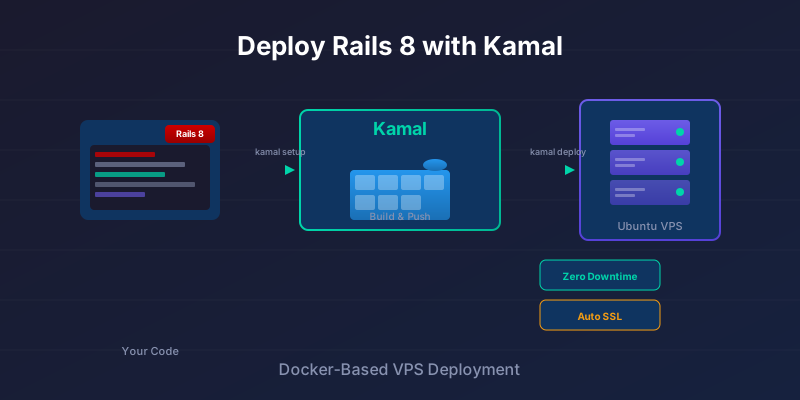
A small Rails app does not always need a platform bill. The version I reach for is a modest VPS, Kamal 2, Docker, and a deploy.yml I can read when something breaks. The monthly cost is predictable, and the trade is just as clear: the server is now yours to patch, back up, and monitor.
Kamal is a Docker-based deployment tool built by the Rails team. It handles healthy container swaps over plain SSH - no Kubernetes, no separate orchestrator. You push code, Kamal builds a container, ships it to your server, and switches traffic once the new version is healthy.
This is a single-server runbook for a small Rails app: server setup, Kamal configuration, SSL, and the day-to-day workflow after the first deploy. It is not a high-availability architecture. The database, backups, monitoring, and rollback checks decide whether this is a good deployment, not the fact that kamal deploy succeeds once.
Version note: Kamal uses kamal-proxy to switch requests between containers and deploys over SSH to containerized apps. This post scopes that guarantee to healthy app-container swaps. It does not treat migrations, database failover, SSL issuance, or VPS outages as solved by Kamal.
| Decision | Kamal + VPS means you own it | Managed platform usually owns it |
|---|---|---|
| OS patching | Yes | Mostly no |
| Firewall and SSH policy | Yes | Mostly no |
| App container deploy | Kamal handles the container workflow | Platform workflow |
| Health check correctness | Yes | Shared responsibility |
| Database backups | Yes, unless managed separately | Usually add-on/provider feature |
| One-server outage | Your app is down | Platform may have redundancy options |
| Scaling | Add servers and capacity deliberately | Use platform scaling controls |
| Debug access | Full SSH/root possible | Limited or abstracted |
Prerequisites
Before starting, you'll need:
On your local machine:
- Ruby and Bundler installed
- Docker installed (and your user added to the
dockergroup) - A Rails 8 application ready to deploy
On the VPS:
- Ubuntu 22.04 or 24.04 LTS
- Root or sudo access over SSH
- At least 1 GB RAM for a small Rails app (2 GB recommended)
External services:
- A Docker registry account (Docker Hub, GitHub Container Registry, or similar)
- A domain name with DNS access (optional but recommended for SSL)
Assumptions in this runbook:
- one web server is acceptable for now
- deploy downtime from a bad migration is still your responsibility
- the database is either small enough to run as an accessory or managed elsewhere
- someone owns OS updates, firewall rules, logs, alerts, and backups
How Kamal Works
Every kamal deploy runs the same six steps:
- Build a Docker image of your app locally (or in CI)
- Push the image to your container registry
- Pull the image on your VPS
- Start new containers and run health checks
- Switch traffic to the new version via kamal-proxy
- Stop the old containers
Step 5 is where the zero-downtime container swap happens. Kamal 2 uses kamal-proxy, a purpose-built Go proxy, to route traffic, and it only switches to the new container once health checks pass. This protects ordinary app deploys. It does not protect a destructive migration, a broken background job, or the VPS itself going offline.
Two files drive everything:
config/deploy.yml- your deployment configuration.kamal/secrets- environment secrets (keep this out of git)
Preparing the Ubuntu VPS
Spin up an Ubuntu VPS on your preferred provider - Hetzner, DigitalOcean, Linode, Vultr, or any other. Pick Ubuntu 22.04 or 24.04 LTS for long-term support.
The server prep Kamal actually needs
Kamal reaches this box over SSH and installs Docker itself on the first kamal setup, so you are not hand-building a server here. You are giving Kamal a way in and a firewall that leaves its ports open.
Kamal connects as root by default, which is what the deploy.yml later in this post assumes. If you would rather it connect as a non-root user, that user has to be in the docker group - Kamal shells out to docker over SSH, so a user that cannot run Docker cannot deploy - and you point ssh.user at it in deploy.yml. One caveat: Kamal's automatic Docker install runs as root, so a non-root setup means installing Docker on the box yourself first.
# Optional: a non-root user for Kamal to connect as
adduser deploy
usermod -aG docker deploy

# Copy your key so the new user can log in
mkdir -p /home/deploy/.ssh
cp ~/.ssh/authorized_keys /home/deploy/.ssh/
chown -R deploy:deploy /home/deploy/.ssh
chmod 700 /home/deploy/.ssh
chmod 600 /home/deploy/.ssh/authorized_keys
Turn off password auth so the box only accepts your key. In /etc/ssh/sshd_config:
PasswordAuthentication no
Then restart SSH: systemctl restart ssh (on Ubuntu the unit is ssh, not sshd).
Open only the ports the deploy uses - SSH for Kamal itself, and 80/443 for kamal-proxy to terminate HTTP and HTTPS:
ufw allow OpenSSH
ufw allow http
ufw allow https
ufw enable
Confirm the login works before handing the box to Kamal:
ssh root@your_server_ip # or deploy@your_server_ip if you created a non-root user
Preparing Your Rails App
Rails 8 ships with Docker support out of the box. If you generated a new Rails 8 app, you already have a Dockerfile in your project root.
For existing apps upgrading to Rails 8, run:
rails app:update
This generates the Dockerfile and related configuration.
Key Environment Variables
Make sure your deployed app respects these environment variables:
# config/database.yml
production:
  url: <%= ENV["DATABASE_URL"] %>
# config/environments/production.rb
config.force_ssl = true
config.assume_ssl = true
config.log_level = ENV.fetch("RAILS_LOG_LEVEL", "info")
Local Sanity Check
Before involving Kamal, verify your app builds and runs in Docker:
docker build -t myapp .
docker run --rm -e RAILS_MASTER_KEY=$(cat config/master.key) myapp
If the image builds and boots here, it will boot the same way on the VPS. If it crashes now - a missing gem, an asset step that needs the master key, a bad Dockerfile line - it would crash identically after a push, which is exactly why you catch it locally first.
Setting Up Kamal
Add Kamal to your project:
bundle add kamal
bundle exec kamal init
This creates two files:
config/deploy.yml- deployment configuration.kamal/secrets- for sensitive values (already in.gitignore)
Configuring deploy.yml
Here's a minimal configuration for a single-server deploy:
# config/deploy.yml
service: myapp
image: yourusername/myapp

servers:
  web:
    - your_server_ip
  # jobs:
  #   hosts:
  #     - your_server_ip
  #   cmd: bin/jobs

proxy:
  ssl: true
  host: app.example.com

registry:
  username: yourusername
  password:
    - KAMAL_REGISTRY_PASSWORD

env:
  clear:
    RAILS_ENV: production
    RAILS_LOG_TO_STDOUT: "true"
    RAILS_SERVE_STATIC_FILES: "true"
  secret:
    - RAILS_MASTER_KEY
    - DATABASE_URL
Key fields:
- service: A name for your app (used in container names)
- image: Where to push/pull the Docker image
- servers.web: Your VPS IP address
- proxy.ssl: Enables automatic Let's Encrypt certificates
- proxy.host: Your domain (must have DNS pointing to the server)
- proxy.app_port: Optional if your container listens on something other than port 80, for example
app_port: 3000 - env.clear: Non-sensitive environment variables
- env.secret: References to secrets defined in
.kamal/secrets
Running Background Jobs
If you're using Solid Queue or Sidekiq, add a jobs role:
servers:
  jobs:
    hosts:
      - your_server_ip
    cmd: bin/jobs
This runs your job processor as a separate container on the same server.
Database as an Accessory
You can run PostgreSQL on the same server using Kamal accessories:
accessories:
  db:
    image: postgres:16
    host: your_server_ip
    port: "127.0.0.1:5432:5432"
    env:
      clear:
        POSTGRES_DB: myapp_production
      secret:
        - POSTGRES_PASSWORD
    directories:
      - data:/var/lib/postgresql/data
For a live app, consider a managed database (AWS RDS, DigitalOcean Managed Databases) instead - backups, replication, and maintenance are handled for you. If you do use the accessory above, point DATABASE_URL at the accessory service name, not localhost; localhost from the Rails container means the Rails container itself.
Managing Secrets
Kamal 2 loads secrets from .kamal/secrets automatically. Create this file:
# .kamal/secrets
KAMAL_REGISTRY_PASSWORD=your_registry_token
RAILS_MASTER_KEY=your_master_key_here
POSTGRES_PASSWORD=your_db_password
DATABASE_URL=postgres://postgres:$POSTGRES_PASSWORD@myapp-db:5432/myapp_production
You can also use shell commands to pull secrets dynamically:
# .kamal/secrets
RAILS_MASTER_KEY=$(cat config/master.key)
Keep .kamal/secrets out of version control. It should already be in your .gitignore.
First Deploy
With everything configured, run the initial setup:
bundle exec kamal setup
This connects to your server over SSH and:
- Installs Docker if needed
- Pulls and starts kamal-proxy if needed
- Creates necessary directories
- Prepares the environment
- Boots accessories and deploys the app for the first time
For later deploys, use:
bundle exec kamal deploy
Kamal will:
- Build your Docker image locally
- Push it to your registry
- Pull it on the VPS
- Start the new container
- Run health checks
- Switch traffic once healthy
The first deploy takes longer (downloading base images, warming caches). Subsequent deploys are faster.
Verify It's Running
Check your server's IP in a browser, or if you've configured SSL and DNS:
curl https://app.example.com
A 200 with your app's HTML means the container is up and kamal-proxy is routing to it. A 502 usually means the proxy is running but the app container failed its health check, so start with kamal app logs. A connection timeout points the other way: DNS, the firewall, or the proxy never came up.
Before trusting the setup, verify rollback while the app is still low-risk:
bundle exec kamal app logs
bundle exec kamal details
bundle exec kamal rollback
curl -fsS https://app.example.com/up
Do this once in staging or on a disposable app. A rollback command you have never run is not a rollback plan; it is a hopeful note in a runbook.
Domain and SSL
If you haven't already, point your domain to your VPS:
- In your DNS provider, create an A record:
app.example.com → your_server_ip - Wait for DNS propagation (usually minutes, sometimes hours)
- Ensure
proxy.hostindeploy.ymlmatches your domain - Redeploy:
kamal deploy
Kamal's proxy automatically requests a Let's Encrypt certificate. You'll have HTTPS working without touching Nginx or Certbot.
Migrations and One-Off Tasks
Kamal has no migration step of its own. On the default Rails 8 path you may not need one: the generated bin/docker-entrypoint runs bin/rails db:prepare whenever the container command is ./bin/rails server, so web containers migrate as they boot. Roles that run a different command, a jobs role for example, do not. If you want migrations to run once, in a known order, rather than as a side effect of whichever container boots first, wire them in yourself: a post-deploy hook that runs every time, or a command you invoke deliberately.
Automatic Migrations with Post-Deploy Hook
The cleanest approach is running migrations automatically after each deploy. Kamal hooks live in .kamal/hooks, so create a post-deploy hook script:
# .kamal/hooks/post-deploy
#!/bin/sh
kamal app exec "bin/rails db:migrate"
Make it executable:
chmod +x .kamal/hooks/post-deploy
Now every kamal deploy will automatically run migrations after the new containers are up. This keeps your deploy workflow simple - one command does everything.
Running Commands Manually
For one-off tasks, you can still run commands directly:
# Open a Rails console
kamal app exec -i "bin/rails console"

# Run seeds or data migrations
kamal app exec "bin/rails db:seed"

# Any arbitrary command
kamal app exec "bin/rails runner 'puts User.count'"
Common Commands
Here's a quick reference for day-to-day operations:
| Command | What it does |
|---|---|
kamal deploy |
Build, push, and deploy the latest code |
kamal app logs |
Tail application logs |
kamal app logs -f |
Follow logs in real-time |
kamal app exec "cmd" |
Run a command in the app container |
kamal app exec -i bash |
Interactive shell |
kamal details |
Show container and server status |
kamal rollback |
Roll back to the previous release |
kamal proxy logs |
View proxy/router logs |
For debugging failed deploys, start with kamal app logs and kamal details.
The Checks I Would Not Skip
Everything below the app is now yours: an unpatched OS, a disk filling with old Docker images, a health check that returns 200 before the app can serve traffic, and a database with no tested restore.
System Level
- Keep Ubuntu updated:
apt update && apt upgraderegularly, or enable unattended-upgrades - Install fail2ban: Blocks repeated failed SSH attempts
- Monitor disk space: Docker images accumulate; run
docker system pruneperiodically
Application Level
- Use strong secrets: Generate random passwords for databases and keys
- Configure health checks: Kamal's default health check hits
/up- make sure this endpoint exists and returns 200 when your app is ready - Set resource limits: On small VPS instances, constrain container memory to prevent OOM kills:
# config/deploy.yml
servers:
  web:
    - your_server_ip
    options:
      memory: 512m
Backups
If you're running PostgreSQL on the same server, set up automated backups. A simple cron job with pg_dump to an offsite location (S3, Backblaze B2) works. For managed databases, enable automated backups through your provider.
When NOT to Use Kamal + VPS
The trade-off is ownership. Kamal removes the platform layer, which is useful only if you are willing to own the parts that layer used to hide.
Kamal + VPS Fits When
- You want predictable monthly costs ($5-50/month vs usage-based pricing)
- You need full control over the server environment
- You're comfortable with basic Linux administration
- Your app runs fine on a single server, or you're ready to add servers by hand later
- You want reproducible deploys without vendor lock-in
Use a Managed Platform When
- You need to ship this week and don't want to think about servers (Heroku, Render, Fly.io)
- Compliance requirements demand certified infrastructure (SOC 2, HIPAA)
- Your team has no ops experience and can't afford downtime while learning
- You need instant horizontal scaling or global edge deployment
The Risks Are Boring and Real
The risks all come from the same place: everything below the app is now yours. If the VPS goes down, your app goes down - managed platforms handle failover for you, a single server does not. Security is yours too: you patch the OS, configure the firewall, and watch for intrusions. And there's no built-in observability, so logging, monitoring, and alerting are things you set up yourself (Datadog, Honeybadger, or self-hosted alternatives).
For solo developers and small teams building straightforward web apps, Kamal + VPS is often the right trade. For larger teams or apps with strict uptime requirements, the operational overhead of managed platforms may be worth paying for.
The Next Things I Would Add
Once you're comfortable with single-server deploys, a few things are worth adding.
Move the deploy off your laptop first: run kamal deploy from GitHub Actions on push to main, so every build happens in the same environment. If you need a staging environment, Kamal destinations handle it:
kamal deploy -d staging
kamal deploy -d production
Scaling is undramatic: add more servers to servers.web and Kamal distributes deploys across them. The upgrade that usually pays off first is the database. Running PostgreSQL as a Kamal accessory is fine for small apps, but a managed database buys you backups, replication, and failover without another thing to maintain, and it makes adding a second VPS for redundancy much simpler.
What to Reach for on a VPS
For a solo developer or a small team whose app fits on one box, I'd default to Kamal and a modest VPS sized from actual memory use, worker count, and database placement. The setup in this post is an afternoon of work, the bill is flat, and when something breaks you can SSH in and look at it instead of filing a support ticket. My own small sites run behind a shared super-cluster host and Cloudflare; the thing that surprised me was not CPU or RAM, but how much of the operational care moved to boring details like origin certificates, proxy health checks, and remembering exactly how the container was started.
The cases where I'd pay for a platform instead are the ones listed above: a compliance requirement you can't self-certify, or a team where nobody wants to own OS patching. Those are real constraints. Everyone else can start with one server and one deploy.yml, and add machines only when the single box actually runs out.
If you are moving off Heroku or Render, the risk is not the Kamal part. It is the boring part: health checks, secrets, database backups, and knowing the rollback command before you need it. Get those four right and the cutover is uneventful. Skip them and the first bad deploy teaches you all four at once.