Solid Queue in Rails 8: Setup Notes and Trade-offs
Install Solid Queue in Rails 8, configure recurring.yml and concurrency limits, choose Puma or a separate jobs process, and weigh the Redis trade-off.
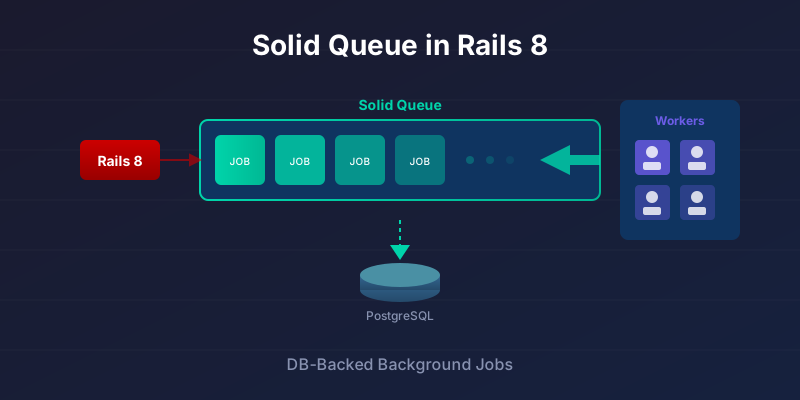
The first Solid Queue app I was happy to keep simple had boring jobs: invoices, webhooks, CSV imports, daily reports, and a few cleanup tasks. Sidekiq would have handled all of it. The question was whether the extra Redis service, dashboard, backups, and deploy wiring were buying anything the app actually needed.
For that shape of Rails app, Solid Queue is enough. It runs Active Job on PostgreSQL or MySQL, gives you delayed jobs, recurring tasks, concurrency controls, and Mission Control, and keeps the job system inside the stack you already operate. The trade-off is that your database is now part of the queueing system, so worker counts, polling, indexes, and retention deserve real attention.
Version note: this post assumes Rails 8, the bin/rails solid_queue:install path for existing apps, config/queue.yml, config/recurring.yml, db/queue_schema.rb, the bin/jobs wrapper, and limits_concurrency for cross-process concurrency control.
This guide assumes you want to ship Solid Queue in an app people rely on, not only try the adapter locally. Still choosing a backend? Read Solid Queue vs Sidekiq vs GoodJob first.
The job shape Solid Queue fits
Solid Queue is the default background job backend in Rails 8. It runs Active Job on your existing PostgreSQL or MySQL database instead of Redis, using SKIP LOCKED polling to claim work safely across multiple workers. It supports recurring jobs, concurrency limits, priority queues, and delayed execution, with a Mission Control dashboard for monitoring.
That makes it a good fit for ordinary application work: emails, imports, webhooks, reports, billing jobs, and cleanup tasks where pickup latency is measured in seconds or hundreds of milliseconds rather than as part of an interactive UI path. The Redis saving is real only if Redis existed mainly for jobs. If Redis is also your cache, pub/sub layer, or already-operated shared service, Solid Queue removes less from the system.
The moving parts
In Rails 8 with Kamal, setting SOLID_QUEUE_IN_PUMA=1 tells Puma to start and supervise the Solid Queue supervisor inside the web process. You can also call plugin :solid_queue directly in config/puma.rb, or gate it on ENV['PUMA_RUN_JOBS'] so only some servers pick up jobs. Whether you should run jobs in Puma at all is a trade-off covered further down.
bin/rails solid_queue:install writes the schema to db/queue_schema.rb, and loading it with bin/rails db:prepare creates 11 tables (the full schema is a few sections down). What each one is responsible for:
solid_queue_jobsstores all job data (class, arguments, priority, queue).solid_queue_ready_executionsholds jobs ready to run.solid_queue_claimed_executionstracks jobs locked by a worker process.solid_queue_blocked_executionsholds jobs waiting on concurrency limits.solid_queue_scheduled_executionsstores jobs scheduled for future execution.solid_queue_failed_executionsrecords failed jobs with error details.solid_queue_recurring_executionsandsolid_queue_recurring_tasksmanage cron-style recurring jobs.solid_queue_pausestracks paused queues.solid_queue_processesregisters running worker/dispatcher processes with heartbeats.solid_queue_semaphoresimplements concurrency control via database-level semaphores.
Solid Queue vs Sidekiq (the decision table)
Solid Queue trades latency and peak throughput for one less service to run. If Redis is in your stack only to hold jobs, that trade is usually worth taking. If Redis is already there doing other work, most of the saving disappears and Sidekiq's lower pickup latency comes free.
| Feature | Solid Queue (Rails 8) | Sidekiq + Redis |
|---|---|---|
| Backend | PostgreSQL / MySQL (often already running) | Redis (separate service) |
| Throughput | Workload-dependent; benchmark the queue DB | Stronger when the queue is a firehose |
| Job latency | Polling; depends on config and DB health | Usually lower pickup latency |
| Recurring jobs | Built-in (recurring.yml) |
Needs sidekiq-cron (or similar) |
| Cross-process concurrency | Built-in (limits_concurrency) |
Sidekiq Enterprise for per-key limits |
| Monitoring | Mission Control | Sidekiq Web / Pro |
| Transactional enqueue | Same DB transaction as the record | Separate datastore |
| Ops cost | No Redis for jobs if the DB absorbs the load | Redis to run, back up, and watch |
Throughput and latency rows are directional, not promises. GoodJob is the third Postgres option (LISTEN/NOTIFY instead of pure polling); full three-way comparison is in Solid Queue vs Sidekiq vs GoodJob.
Solid Queue is not a cache (use Solid Cache), not a message bus, and not a Sidekiq substitute when the queue is the product's hot path.
How jobs get claimed
Workers, a dispatcher, and a scheduler share the queue tables. Workers poll solid_queue_ready_executions (the dispatcher moves due scheduled jobs there first). The claim query is roughly:
-- Simplified: multiple workers can poll simultaneously without blocking.
-- The real query joins solid_queue_ready_executions and locks the claimed row.
SELECT * FROM solid_queue_ready_executions
WHERE queue_name = 'default'
ORDER BY priority ASC, job_id ASC
LIMIT 1
FOR UPDATE SKIP LOCKED;
SKIP LOCKED means two workers never claim the same ready execution at the same time, so you avoid the thundering-herd contention a plain FOR UPDATE would cause. It does not make execution exactly-once: a job can still be retried, or fail after a side effect has already happened, so write your jobs to be idempotent.
Single vs Separate Databases
Separate Queue Database (the Rails 8 generated default):
- What
solid_queue:installconfigures out of the box, and what the docs recommend - Isolates job processing from app queries
- Keeps high-churn job tables off your primary database
- Prevents job processing from blocking user requests
# config/database.yml
production:
  primary:
    <<: *default
    database: myapp_production

  queue:
    <<: *default
    database: myapp_queue_production
    migrations_paths: db/queue_migrate
Single Database (an explicit opt-in):
- Fewer moving parts, one database to back up and monitor
- Jobs share the connection pool with app queries
- Fine for smaller apps, but a busy queue now competes with user traffic
Solid Queue's docs recommend the separate queue database, and that is what the installer wires up. If you deliberately want one database, take the single-database path covered below. Either way, watch for connection pool exhaustion or slow queries caused by job churn.
Getting Started (Rails 8 New App)
Rails 8 includes Solid Queue by default. For new apps, you're ready to go:
# Create new Rails 8 app
rails new myapp

# Solid Queue is already configured with a separate queue database.
# db:prepare creates that database and loads db/queue_schema.rb
bin/rails db:prepare

# Start job processor
bin/jobs
Adding to Existing Rails Apps
If you're upgrading an existing app:
# Add to Gemfile
gem 'solid_queue'

# Install
bundle install
bin/rails solid_queue:install

# solid_queue:install creates:
# - config/queue.yml       (worker/dispatcher configuration)
# - config/recurring.yml   (recurring/cron-style jobs)
# - db/queue_schema.rb     (schema for the queue database)
# - bin/jobs               (executable that runs the supervisor)
# It also adds config.solid_queue.connects_to to config/environments/production.rb

# Create the queue database and load its schema
bin/rails db:prepare
If you would rather keep everything in one database, see Single-database setup below; the steps differ.
What the installer actually creates
solid_queue:install writes db/queue_schema.rb. Load it with bin/rails db:prepare; do not invent your own tables. Operational facts that matter later:
solid_queue_jobsis the hub; execution tables (ready,claimed,blocked,scheduled,failed,recurring) hang off it withON DELETE CASCADE- A job is in one execution state at a time (unique
job_idon those tables) - Polling indexes on ready executions are what make
SKIP LOCKEDclaim work cheap solid_queue_processesis the heartbeat table for "are workers up?"solid_queue_semaphoresbackslimits_concurrency
Read the generated db/queue_schema.rb in your app when you need column-level detail. Copy-pasting a frozen dump here drifts from the gem.
Single-database setup
The default install puts Solid Queue in its own database. If you want the queue tables in your primary database instead, the Solid Queue docs give a small manual path:
- Copy the contents of
db/queue_schema.rbinto a normal migration (this is the migration people often nameCreateSolidQueueTables), then deletedb/queue_schema.rb. - Remove
config.solid_queue.connects_tofromconfig/environments/production.rb. - Run
bin/rails db:migrate.
Because there's no second database, config/database.yml doesn't need a separate queue entry. This is the one flow where you run db:migrate rather than db:prepare, and where a CreateSolidQueueTables migration is yours to create by hand.
Basic Configuration
# config/queue.yml
production:
  dispatchers:
    - polling_interval: 1
      batch_size: 500
      concurrency_maintenance_interval: 300

  workers:
    - queues: critical
      threads: 5
      processes: 2
      polling_interval: 0.1

    - queues: default
      threads: 3
      processes: 3
      polling_interval: 1

    - queues: low_priority
      threads: 2
      processes: 1
      polling_interval: 5
threads is concurrent jobs per process, processes multiplies workers, and polling_interval is how often a worker asks the DB for work (seconds). Critical queues usually poll faster and run more threads; low-priority queues can wait longer so they do not compete with user-facing work.
In development, one worker on "*" with threads: 1 is enough:
# config/queue.yml
development:
  workers:
    - queues: "*"
      threads: 1
      processes: 1
      polling_interval: 2
Running jobs in development
# Terminal 1: Rails server
bin/rails server

# Terminal 2: Job processor
bin/jobs
Or use the Puma plugin to run jobs in the same process:
# config/puma.rb
plugin :solid_queue

# Now jobs run automatically with Puma
# Great for development, be cautious under real traffic
Puma Plugin or a Separate bin/jobs Process?
The Puma plugin runs your jobs inside the web process; bin/jobs runs them in a dedicated supervisor with its own workers. Use the plugin in development and on small, low-traffic apps where one box does everything. Run a separate bin/jobs process once the app has real traffic, where you want jobs and web requests to fail, restart, and scale independently.
| Factor | Puma plugin (plugin :solid_queue) |
Separate bin/jobs process |
|---|---|---|
| Best for | Development, hobby and low-traffic apps | Dedicated job process, anything under real load |
| Process model | Jobs share the Puma process | Dedicated supervisor + worker processes |
| Resource isolation | None - a runaway job starves web requests | Full - a slow job can't block page loads |
| Scaling | Tied to web concurrency | Scale workers per queue (threads/processes) |
| Deploys/restarts | Jobs restart on every web deploy | Restart workers without dropping web traffic |
| Setup | One line in config/puma.rb |
A jobs role in Kamal or a systemd unit |
The trap is shipping the development setup to a live app: a single CPU-bound job in the Puma process will block request threads and show up as slow page loads, not as a queue backlog. Once you have real traffic, split them.
Recurring jobs and retries (short version)
Solid Queue reads schedules from config/recurring.yml - no system cron, no whenever. Enqueue-once is not run-once: write job bodies as if they can fire twice. Full cron syntax, time zones, command vs class, and scheduler process notes live in Solid Queue recurring jobs.
# config/recurring.yml
production:
  cleanup_old_sessions:
    class: SessionCleanupJob
    schedule: every 1 hour
  process_subscriptions:
    class: SubscriptionChargeJob
    schedule: every day at 2am
    queue: critical
Solid Queue does not auto-retry failed work. Use Active Job:
class MyJob < ApplicationJob
  retry_on TimeoutError, wait: 5.minutes, attempts: 3
  discard_on ActiveRecord::RecordNotFound
end
Limiting concurrent jobs
limits_concurrency is the feature people actually miss from Sidekiq Enterprise when they first look at Solid Queue: per-key caps across processes.
# One export per account at a time
class InvoiceExportJob < ApplicationJob
  limits_concurrency to: 1, key: ->(account_id) { "invoice_export_#{account_id}" }

  def perform(account_id)
    InvoiceExporter.generate_all(Account.find(account_id))
  end
end

# Cap global API fan-out; duration is a semaphore failsafe, not a job kill timer
class ApiSyncJob < ApplicationJob
  limits_concurrency to: 5, key: -> { "api_sync" }, duration: 10.minutes

  def perform
    ExternalApi.sync_all
  end
end
Without the key, 100 exports for one account fight over the same rows and often produce duplicate files. With it, later jobs wait.
Failed jobs: inspect, retry, discard
Failed work sits in solid_queue_failed_executions until you act. Prefer SolidQueue::FailedExecution (error payload lives there, not on SolidQueue::Job). Mission Control UI does the same thing without the console.
failed = SolidQueue::FailedExecution.last
failed.error
failed.message
failed.backtrace
failed.retry   # re-enqueue as if first time
failed.discard
Mission Control (and what it does not do)
Mission Control is the dashboard Solid Queue does not ship with. Adding the gem and mounting the engine gets you queue depths, failed jobs, and worker status. It ships with HTTP basic authentication enabled and closed, so it stays inaccessible until you store credentials, which is the right default but does mean a fresh mount looks broken before it looks empty.
# Gemfile
gem "mission_control-jobs"

# config/routes.rb - protect this before deploy
authenticate :user, ->(user) { user.admin? } do
  mount MissionControl::Jobs::Engine, at: "/jobs"
end
Mission Control is inspection and manual recovery: failed jobs, queues, recurring tasks. It is not alerting. Wire queue depth and failure rate into AppSignal, Honeybadger, or whatever you already page on. Auth, argument filters, and incident rehearsal are in the Mission Control setup guide.
The checks before I would ship it
- Queue DB - Keep the installer's separate
queuedatabase unless the app is tiny.config.solid_queue.connects_to = { database: { writing: :queue } }should matchdatabase.yml. - Workers - CPU-heavy queues: fewer threads. I/O-bound: more threads. Do not copy production
queue.ymlinto a toy app without measuring. - Shutdown grace - Default
config.solid_queue.shutdown_timeoutis 5 seconds. Raise it only if you know the longest in-flight job needs more time:
# config/environments/production.rb
config.solid_queue.shutdown_timeout = 60.seconds
- Health probe - Count real process rows and ready depth:
# app/controllers/health_controller.rb
class HealthController < ApplicationController
  def jobs
    active_workers = SolidQueue::Process.where(kind: "Worker").count
    critical_depth = SolidQueue::ReadyExecution.where(queue_name: "critical").count

    if active_workers > 0 && critical_depth < 1000
      render json: { status: "ok" }, status: :ok
    else
      render json: {
        status: "unhealthy",
        active_workers: active_workers,
        critical_queue_depth: critical_depth
      }, status: :service_unavailable
    end
  end
end
- Rolling restarts - For zero-downtime deploys:
# Kamal config
# config/deploy.yml
service: myapp

servers:
  web:
    - 192.168.1.1
  jobs:
    hosts:
      - 192.168.1.2
    cmd: bin/jobs

proxy:
  ssl: true
  host: app.example.com

accessories:
  postgres:
    image: postgres:16
Or with systemd:
# /etc/systemd/system/solid-queue.service
[Unit]
Description=Solid Queue Worker
After=network.target

[Service]
Type=simple
User=deploy
WorkingDirectory=/var/www/myapp
ExecStart=/usr/local/bin/bundle exec bin/jobs
ExecReload=/bin/kill -USR1 $MAINPID
KillMode=mixed
TimeoutStopSec=60

[Install]
WantedBy=multi-user.target
-
Pool and backups - Size the queue DB pool for workers (
poolindatabase.ymlfor thequeueentry). Back up the queue database with the same discipline as primary data if you care about in-flight or failed jobs after a restore. NTP on every host that runs the scheduler - clock drift makes "every day at 2am" mean different things. -
Gotchas - Do not hold a DB connection for hours inside one job; break work into smaller enqueues. Keep an eye on
preserve_finished_jobsretention so finished rows do not grow forever (next section).
Why solid_queue_ready_executions bloats
solid_queue_ready_executions stays small in row count - a row is inserted when a job becomes ready and deleted the moment a worker claims it - but it's one of the highest-churn tables in your database. That constant insert/delete cycle leaves dead tuples behind, and on a busy queue PostgreSQL's autovacuum can fall behind, bloating both the heap and its indexes until claim queries that should be index-only start wading through dead rows. This is the post-launch surprise: the queue "looks empty" in Mission Control while the table on disk is several gigabytes.
There are two distinct problems, and they have different fixes.
1. Finished jobs accumulating in solid_queue_jobs. By default preserve_finished_jobs is true, so every completed job stays in solid_queue_jobs after it runs. Recent versions of the install generator add a recurring cleanup task for you, but apps that ran solid_queue:install early (or deleted the task) never get it. Confirm it's in your config/recurring.yml:
# config/recurring.yml
production:
  clear_solid_queue_finished_jobs:
    command: "SolidQueue::Job.clear_finished_in_batches(sleep_between_batches: 0.3)"
    schedule: every hour at minute 12
The retention window is controlled separately. The default keeps finished jobs for one day; lower it on high-volume apps, or turn preservation off entirely if you don't inspect succeeded jobs:
# config/application.rb
config.solid_queue.clear_finished_jobs_after = 1.day  # default; drop to a few hours under load
config.solid_queue.preserve_finished_jobs   = true    # set false to delete on completion
Note that clear_finished_in_batches only removes finished (succeeded) jobs. Rows in solid_queue_failed_executions persist by design until you retry or discard them, so a bad deploy that fails ten thousand jobs leaves them all on disk. Prune failures from Mission Control or the console once you've triaged them:
# Discard all currently-failed jobs after triage
SolidQueue::FailedExecution.find_each(&:discard)
2. Bloat on the high-churn execution tables. Clearing finished jobs frees rows, but it doesn't fix index bloat from the insert/delete churn on solid_queue_ready_executions and solid_queue_claimed_executions. The fix is to let autovacuum run far more aggressively on those tables than the database-wide default:
-- Make autovacuum keep up with the churn on the ready queue
ALTER TABLE solid_queue_ready_executions SET (
  autovacuum_vacuum_scale_factor = 0.02,  -- vacuum at 2% dead tuples, not the default 20%
  autovacuum_vacuum_cost_delay   = 0       -- don't throttle the vacuum on this table
);
Check for accumulated bloat before assuming it's fine:
SELECT relname, n_live_tup, n_dead_tup, last_autovacuum
FROM pg_stat_user_tables
WHERE relname LIKE 'solid_queue_%'
ORDER BY n_dead_tup DESC;
If n_dead_tup dwarfs n_live_tup on the execution tables, a one-off VACUUM (VERBOSE, ANALYZE) solid_queue_ready_executions; reclaims the space; a REINDEX (or pg_repack to avoid the lock) handles index bloat that a plain vacuum won't. This is exactly the kind of slow-query and bloat work that becomes routine once your job tables share a database with user traffic.
When I would not use Solid Queue
- The queue is a firehose (millions of tiny jobs, or the queue DB becomes hot before workers saturate).
- Pickup latency is on a user-visible path (polling loses to Redis wake-ups).
- You need Sidekiq Pro/Enterprise features (batches, rate limiting, unique jobs as a product feature).
- Redis is already operated well and the cost of a second jobs path is lower than relearning ops.
Hybrid is allowed without ceremony: keep the app-wide adapter on Solid Queue and pin one class to Sidekiq:
class HighVolumeJob < ApplicationJob
  self.queue_adapter = :sidekiq
  queue_as :firehose

  def perform(event_data)
    # firehose path
  end
end
Emails, reports, cleanup, and "good enough" pickup latency stay on Solid Queue. ActionCable still owns real-time UI; do not pretend a polled job is a websocket.
Cost and latency (shaped, not promised)
If Redis exists only for jobs, dropping it often means one less managed service (a common small-SaaS ballpark: on the order of tens of dollars per month for managed Redis, not a universal 63% claim). You pay with higher pickup latency and a lower theoretical throughput ceiling. For ordinary application jobs, that trade is usually fine. Measure your peak jobs/minute and p95 enqueue-to-start before treating any blog table as capacity planning.
Solid Cache and Mission Control can retire Redis for cache and job UI the same way Solid Queue retires it for work - see Solid Cache and the Mission Control guide. That stack only works when the database can absorb the load; it is not free thrift.
The decision I would make
For most small and mid-sized Rails apps with boring jobs, I would start with Solid Queue and make the database work visible from day one: separate queue DB if traffic is real, conservative workers, Mission Control behind auth, external alerts on depth and failures, and every recurring job written as if it can run twice.
I would keep Sidekiq when the queue is already a high-throughput subsystem, when Redis is already operated well, or when paid Sidekiq features are part of the product. Treat it as an ops question: one database-backed system with polling and fewer moving parts, or a Redis-backed system with lower latency and a bigger feature set.
If the app already runs Sidekiq, swapping the adapter is quick. The slow part is inventory: Sidekiq retry defaults, cron double-enqueue risk, queues that need Redis-level latency. That cutover is in migrating from Sidekiq to Solid Queue.
Further Reading
- Sidekiq to Solid Queue Migration: Rails Runbook
- Solid Cache in Rails 8: When the Database Is the Right Cache
- Rails PostgreSQL Performance: Start With the Query Plan - keep the database fast when jobs and web traffic share it
- Deploy Rails 8 with Kamal to a VPS: Setup Runbook
- Rails AI Agents with the Anthropic SDK: Guardrails - a common Solid Queue workload: running AI agents as background jobs
- Solid Queue GitHub Repository
- Mission Control - Jobs
- Rails 8.0 Release Notes