Rails PostgreSQL Performance: Start With the Query Plan
Use EXPLAIN ANALYZE to find the real Rails database bottleneck, then fix the proven failure mode: N+1 queries, missing indexes, or Ruby-side aggregation.
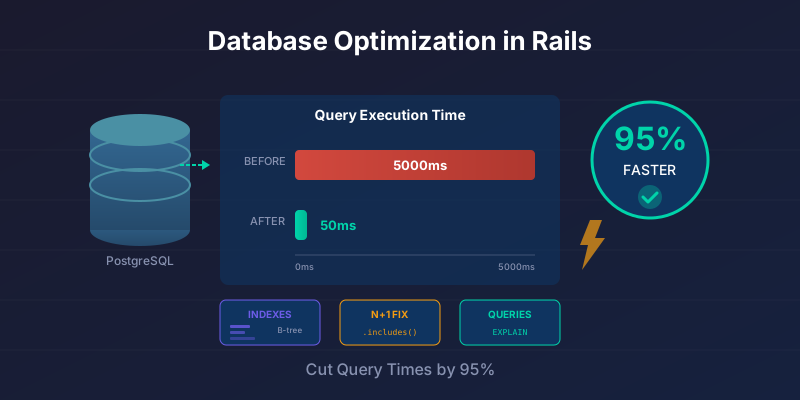
Most of this post comes out of one engagement: a B2B SaaS dashboard that took 4.2 seconds to load, spent 3.8 of those seconds inside PostgreSQL, and ran 127 queries to render a single screen. After the fixes below, the same page loaded in 180ms with 4 queries in the same staging environment. The full story is in the measured example halfway down.
None of it required exotic PostgreSQL features. It was N+1s, missing indexes, and aggregations running in Ruby instead of SQL - the same three problems most Rails apps have. The useful part was not knowing the names of the fixes; it was proving which one mattered with EXPLAIN ANALYZE before changing code.
Treat the table below as triage, not a benchmark. It tells you which failure mode to look for before changing code. Do not copy an index, cache, or PgBouncer setting from this post until the query plan, profiler, or pool metrics show the same problem in your app.
| Symptom | First thing to inspect | Likely fix | Do not do this first |
|---|---|---|---|
| Hundreds of similar SELECTs | Rails log, Bullet, rack-mini-profiler | includes, preload, counter cache |
Add database hardware |
| Sequential scan on a large filtered table | EXPLAIN (ANALYZE, BUFFERS) |
Compound or partial index matching the predicate | Add a guessed index |
| Dashboard spends time in Ruby | profiler and allocations | SQL aggregation, pluck, materialized view |
Cache the whole page |
| Pool timeouts under normal traffic | Rails pool config, Postgres connections | pool arithmetic, fewer threads, PgBouncer | Raise pool everywhere |
| Slow JSONB lookups | query plan and actual predicates | targeted expression or GIN index | Index every JSON key |
Version note: PostgreSQL's own EXPLAIN caveat applies here: EXPLAIN ANALYZE runs the query, and results from toy-sized tables should not be extrapolated to larger workloads.
This is not a complete database-performance guide. It is the order I would use for a slow Rails page: prove the slow query, remove repeated work, add only the index the plan asks for, move aggregation into SQL, and cache only after the uncached path is acceptable.
Start With the Query Plan
Measure query cost with EXPLAIN ANALYZE before optimizing anything. PostgreSQL shows you the execution plan, actual row counts, and wall-clock time per node. The important signal is not a magic multiplier; it is whether the plan scans far more rows than it returns, sorts too much data, or repeats work that should have been batched.
Enable Query Logging in Development
# config/environments/development.rb
config.active_record.logger = Logger.new(STDOUT)
config.log_level = :debug

# Or use the bullet gem
gem 'bullet', group: :development

# config/environments/development.rb
config.after_initialize do
  Bullet.enable = true
  Bullet.alert = true
  Bullet.console = true
end
Use EXPLAIN ANALYZE
# In Rails console
User.joins(:transactions).where(created_at: 1.year.ago..).explain

# Or raw SQL
ActiveRecord::Base.connection.execute("
  EXPLAIN ANALYZE
  SELECT users.*, COUNT(transactions.id)
  FROM users
  LEFT JOIN transactions ON transactions.user_id = users.id
  GROUP BY users.id
").to_a
In the output, look for sequential scans on large tables and for a big gap between rows scanned and rows returned. That gap is the query doing work it throws away, and it is usually where the index belongs.
Monitor under real traffic
# Use rack-mini-profiler
gem 'rack-mini-profiler'

# Or APM tools
gem 'skylight'  # My favorite for Rails apps
gem 'newrelic_rpm'
Failure Mode: N+1 Queries
An N+1 happens when Rails runs one query to fetch a parent collection and then one extra query per row to load an association. For 100 users with associated transactions that is 201 queries instead of 2. Fix it with includes, preload, or eager_load, and install the Bullet gem to catch new ones in development. It is common because it hides inside ordinary view code: one association call in a loop becomes a query pattern.
The Problem
# app/controllers/users_controller.rb
def index
  @users = User.all
end
<!-- app/views/users/index.html.erb -->
<% @users.each do |user| %>
  <tr>
    <td><%= user.name %></td>
    <td><%= user.transactions.count %></td>  <!-- N+1! -->
    <td><%= user.latest_transaction&.amount %></td>  <!-- N+1! -->
  </tr>
<% end %>
Database queries: 1 (fetch users) + N (count transactions for each) + N (fetch latest transaction) = 1 + 2N queries
For 100 users: 201 queries. For 1000 users: 2001 queries.
The Solution: Eager Loading
# app/controllers/users_controller.rb
def index
  @users = User
    .includes(:transactions)  # Load transactions
    .left_joins(:transactions)
    .select('users.*, COUNT(transactions.id) as transactions_count')
    .group('users.id')
end
Database queries: 2 (users + transactions). Always 2, regardless of user count.
Preload with a scope when the page only needs some rows
class User < ApplicationRecord
  has_many :transactions
  has_one :latest_transaction,
          -> { order(created_at: :desc) },
          class_name: 'Transaction'
end

# Controller
def index
  @users = User.includes(:transactions, :latest_transaction)
end
<!-- View -->
<% @users.each do |user| %>
  <tr>
    <td><%= user.name %></td>
    <td><%= user.transactions.size %></td>  <!-- No query! -->
    <td><%= user.latest_transaction&.amount %></td>  <!-- No query! -->
  </tr>
<% end %>
Counter Caches Replace the Count Entirely
Eager loading still runs the COUNT. For a number rendered on every page view, a counter cache removes the query instead of batching it:
# Migration
class AddTransactionsCountToUsers < ActiveRecord::Migration[8.0]
  def change
    add_column :users, :transactions_count, :integer, default: 0, null: false

    # Backfill existing data
    User.find_each do |user|
      User.reset_counters(user.id, :transactions)
    end
  end
end

# Model
class Transaction < ApplicationRecord
  belongs_to :user, counter_cache: true
end
Now user.transactions.count reads a pre-computed integer column instead of aggregating rows. The cost moves to write time, and to the drift described later in this post.
How much does this actually matter? Here is how the three common ways of counting associated records behave as the table grows. These are representative numbers for warm-cache reads on commodity PostgreSQL with narrow rows - absolute values shift with hardware and row width, but the shape holds:
| Counting approach | 10K rows | 1M rows | 50M rows | Scales with table size? |
|---|---|---|---|---|
COUNT(*) on every request |
~2ms | ~120ms | ~3.5s | Yes, reads and aggregates every matching row |
COUNT(*) with a covering index |
~1ms | ~25ms | ~600ms | Yes, index-only scan but still O(rows) |
counter_cache column |
<1ms | <1ms | <1ms | No, one integer read, O(1) |
| Materialized view (hourly refresh) | <1ms | <1ms | <1ms | No, O(1) read, up to 1 hour stale |
The takeaway is not "counter caches are always right." It is that a raw COUNT gets slower as your data grows, and the page that felt fine at 10K rows will not feel fine at 10M. Decide how fresh the number has to be, then pick the cheapest approach that meets it.
Failure Mode: Missing Indexes
Missing indexes force PostgreSQL to scan entire tables row by row. The plan tells you when that is happening: a Seq Scan on a large table whose rows count dwarfs what the query returns.
Identify Missing Indexes
# This query is slow
Transaction.where(user_id: 123, status: 'completed').order(created_at: :desc)

# Check execution plan
Transaction.where(user_id: 123, status: 'completed').order(created_at: :desc).explain

# Look for "Seq Scan" (bad) vs "Index Scan" (good)
Add the Right Index
class AddIndexToTransactions < ActiveRecord::Migration[8.0]
  def change
    # Compound index for WHERE + ORDER BY
    add_index :transactions,
              [:user_id, :status, :created_at],
              name: 'index_transactions_on_user_status_date'
  end
end
Rule of thumb: Index columns used in:
- WHERE clauses
- JOIN conditions
- ORDER BY clauses
- GROUP BY clauses
Index Column Order Matters
# If you query by user_id AND status
add_index :transactions, [:user_id, :status]

# But if you also query by user_id alone
add_index :transactions, [:user_id, :status]  # Works for both!

# But NOT if you query by status alone
# This index won't be used for: where(status: 'completed')
# You'd need a separate index on [:status]
Left-prefix rule: An index on [a, b, c] can be used for queries filtering:
aa, ba, b, c
But NOT for: b, c, or b, c alone.
Partial Indexes
For columns with many NULLs or specific values you query frequently:
# Only index completed transactions
add_index :transactions,
          [:user_id, :created_at],
          where: "status = 'completed'",
          name: 'index_completed_transactions'

# Much smaller index, faster queries on completed transactions
Unique Indexes
Enforce uniqueness at the database level:
add_index :users, :email, unique: true
add_index :transactions, [:user_id, :external_id], unique: true
Failure Mode: Queries Doing More Work Than the Answer Needs
Rewrite queries that do more work than the answer needs: use exists? instead of count > 0, pluck instead of loading full records, database aggregation instead of Ruby iteration, and find_each instead of each on large scopes. These rewrites are worth doing when the profile shows object allocation, repeated counts, or Ruby-side iteration. They are not a substitute for measuring the slow request.
Use EXISTS Instead of COUNT
# Slow: counts all matching records
if user.transactions.where(status: 'pending').count > 0
  # ...
end

# Fast: stops at first match
if user.transactions.where(status: 'pending').exists?
  # ...
end
Use SELECT to Limit Columns
# Loads all columns (including JSONB, TEXT, etc.)
@users = User.all

# Loads only what you need
@users = User.select(:id, :name, :email)
This matters most on tables carrying a wide JSONB or TEXT column: User.all pulls that column into Ruby for every row even when the page never renders it.
Use LIMIT
# Scans entire table
User.where('created_at > ?', 1.year.ago).to_a

# Stops after finding 100
User.where('created_at > ?', 1.year.ago).limit(100).to_a
Always use LIMIT for:
- Autocomplete dropdowns
- "Recent items" lists
- Preview queries
Batch Processing
# Loads every user into memory at once
User.all.each do |user|
  user.process_data
end

# Processes in batches of 1000, holding one batch at a time
User.find_each(batch_size: 1000) do |user|
  user.process_data
end

# For custom queries
User.where(active: true).in_batches(of: 500) do |batch|
  batch.update_all(last_checked: Time.current)
end
Failure Mode: Slow Aggregations
Push aggregations down to PostgreSQL instead of computing them in Ruby. user.transactions.sum(:amount) runs a single SUM in the database and returns a scalar; loading records into memory and calling map(&:amount).sum in Ruby reads every row, allocates objects, and runs the arithmetic in the web process. For reports that can tolerate slight staleness, materialized views turn multi-second aggregations into instant reads.
Use Database Aggregations
# Slow: Loads all records into Ruby memory
transactions = user.transactions.to_a
total = transactions.sum(&:amount)
average = transactions.map(&:amount).sum / transactions.size

# Fast: Database does the math
total = user.transactions.sum(:amount)
average = user.transactions.average(:amount)
count = user.transactions.count
The database returns one number over the wire; the Ruby version returns every row and allocates an object for each one before adding them up.
Materialized Views for Complex Reports
For reports that are expensive to calculate:
# db/migrate/20250101_create_user_statistics_view.rb
class CreateUserStatisticsView < ActiveRecord::Migration[8.0]
  def up
    execute <<-SQL
      CREATE MATERIALIZED VIEW user_statistics AS
      SELECT
        users.id AS user_id,
        users.name,
        COUNT(DISTINCT transactions.id) AS transaction_count,
        SUM(transactions.amount) AS total_amount,
        AVG(transactions.amount) AS average_amount,
        MAX(transactions.created_at) AS last_transaction_at
      FROM users
      LEFT JOIN transactions ON transactions.user_id = users.id
      WHERE transactions.created_at > NOW() - INTERVAL '1 year'
      GROUP BY users.id, users.name;

      CREATE UNIQUE INDEX ON user_statistics (user_id);
    SQL
  end

  def down
    execute "DROP MATERIALIZED VIEW IF EXISTS user_statistics"
  end
end
# app/models/user_statistic.rb
class UserStatistic < ApplicationRecord
  self.primary_key = 'user_id'

  # Refresh materialized view
  def self.refresh
    connection.execute('REFRESH MATERIALIZED VIEW CONCURRENTLY user_statistics')
  end
end

# Schedule refresh (e.g., every hour)
# config/schedule.rb (with whenever gem)
every 1.hour do
  runner "UserStatistic.refresh"
end
The report is now a single indexed read from user_statistics, at the cost of data that is as stale as the last refresh. Pick the refresh interval from how stale the number is allowed to be, not from how often you can afford to run it.
Failure Mode: JSON Columns Without a Query Shape
JSONB is useful when the shape really is flexible, but it is easy to turn into an unplanned reporting schema. Do not index JSONB because "JSON is slow." Index the exact key and operator the slow query uses, then confirm the plan chooses that index.
# Schema
create_table :transactions do |t|
  t.jsonb :metadata, default: {}, null: false
end

# Add GIN index for JSONB
add_index :transactions, :metadata, using: :gin

# Now these queries are fast
Transaction.where("metadata @> ?", { payment_method: 'credit_card' }.to_json)
Transaction.where("metadata -> 'payment_method' = ?", 'credit_card')
Transaction.where("metadata ->> 'amount' = ?", '100.00')
Specific Key Indexes
# If you frequently query a specific JSON key
add_index :transactions, "(metadata -> 'payment_method')", name: 'index_transactions_on_payment_method'
Failure Mode: Connection Pool Exhaustion
Connection pool exhaustion happens when your Rails processes request more database connections than the pool allows, causing requests to time out waiting. Fix it by sizing the pool to match your thread count, and front PostgreSQL with PgBouncer in transaction pooling mode when you have many application servers sharing a database - this can 5-10x your effective connection capacity without raising PostgreSQL's own limit.
# config/database.yml
production:
  pool: <%= ENV.fetch("RAILS_MAX_THREADS") { 5 } %>
You will see it as could not obtain a database connection within 5 seconds in the logs, and as requests timing out under load rather than returning errors.
1. Increase Pool Size
production:
  pool: 20  # Match Puma workers * threads
2. Use PgBouncer
PgBouncer pools connections at the database level:
# pgbouncer.ini
[databases]
myapp = host=localhost dbname=myapp_production

[pgbouncer]
pool_mode = transaction
max_client_conn = 1000
default_pool_size = 20
3. Close Long-Running Connections
# config/initializers/active_record.rb
ActiveRecord::Base.connection_pool.with_connection do |conn|
  conn.execute("SET statement_timeout = 30000")  # 30 seconds
end
Measured Example: From 127 Queries to 4
The clearest way to show all of this is a real one. A B2B SaaS analytics dashboard I worked on took 4.2 seconds to load its main screen, and the support tickets were stacking up. The numbers here are from before/after checks in the same staging environment; the code is reconstructed and the domain generalized, but the query shape is exactly what happened. Do not read the 23x improvement as a generic Rails benchmark. It is the result of removing N+1s, Ruby-side aggregation, and over-fetching from one badly behaved screen.
The first step was to measure, not guess. rack-mini-profiler pinned to the corner of the page showed 127 SQL queries on a single dashboard load, with 3.8 of the 4.2 seconds spent inside the database. That one number rules out "the app server is slow" and points straight at query count.
Before Optimization
Three lines in this controller look harmless, and every one of them is a trap:
# app/controllers/dashboards_controller.rb
def show
  @user = current_user
  @activities = @user.activities.order(created_at: :desc).limit(10)
  @total_usage = @user.usage_records.sum(&:value)   # Ruby Array#sum, not SQL
  @monthly_cost = @user.invoices.sum(&:total)       # loads every invoice
  @saved_items = @user.bookmarks.map(&:title)       # loads full objects
end
sum(&:value) is Ruby's Array#sum, not SQL SUM. It loads every usage record into memory and adds them up in the web process. The invoices line does the same. map(&:title) loads full bookmark objects just to read one column. And the activities view triggered a separate N+1 on a related resource for each of the 10 rows. None of it looks suspicious on the rendered page, which is exactly why it survived code review.
Before:
- Page load: 4.2 seconds
- Database queries: 127
- Database time: 3.8 seconds
The False Start
The first instinct was to wrap the whole action in Rails.cache.fetch. Page load dropped to 200ms and everyone felt clever, right up until the next deploy cleared the cache and every dashboard in the system hit the cold path at the same moment. Caching had hidden the problem, not fixed it. So the cache came back out until the queries underneath were actually fast.
After Optimization
# app/models/user.rb
class User < ApplicationRecord
  has_many :activities
  has_many :usage_records
  has_many :invoices
  has_many :bookmarks

  # Aggregations run in the database, then cached for headroom
  def usage_summary
    Rails.cache.fetch("user_#{id}_usage_summary", expires_in: 5.minutes) do
      {
        total_usage: usage_records.sum(:value),   # SQL SUM, one number back
        monthly_cost: invoices.sum(:total),        # SQL SUM, one number back
        items_count: bookmarks.count
      }
    end
  end
end

# app/controllers/dashboards_controller.rb
def show
  @user = current_user

  # Eager load with limits
  @activities = @user.activities
                     .includes(:related_resource)
                     .order(created_at: :desc)
                     .limit(10)

  # Cached aggregation
  @usage_summary = @user.usage_summary

  # Single query for bookmarks
  @saved_items = @user.bookmarks.pluck(:title)
end

# Add indexes
add_index :activities, [:user_id, :created_at]
add_index :usage_records, :user_id
add_index :bookmarks, :user_id
Three changes did almost all of the work: sum(&:value) became sum(:value) so PostgreSQL does the arithmetic and hands back a single number, the activities N+1 died with includes(:related_resource), and map(&:title) became pluck(:title) to fetch one column instead of whole rows. The five-minute cache went back on last, as headroom rather than a cover-up.
After:
- Page load: 180ms in the same staging environment
- Database queries: 4
- Database time: 45ms
The lesson that stuck: the dashboard never needed more hardware or more caching. It needed to stop asking the database for things it could compute in a single query.
Monitoring After the Fix Ships
Query plans change as tables grow. An index the planner chose at 50k rows can lose to a sequential scan once the statistics say the scan is cheaper, and nothing in the application reports the switch.
1. Identify Slow Queries
Turn on slow-query logging in postgresql.conf:
log_min_duration_statement = 100 # log anything over 100ms
Or install pg_stat_statements and query it directly, which gives you totals across every execution rather than one line per slow run:
CREATE EXTENSION pg_stat_statements;

SELECT
  query,
  calls,
  total_exec_time,
  mean_exec_time,
  max_exec_time
FROM pg_stat_statements
ORDER BY total_exec_time DESC
LIMIT 20;
2. Set Up Alerts
# config/initializers/notifications.rb
ActiveSupport::Notifications.subscribe('sql.active_record') do |name, start, finish, id, payload|
  duration = (finish - start) * 1000

  if duration > 1000  # Queries over 1 second
    Rails.logger.warn "Slow Query (#{duration.round}ms): #{payload[:sql]}"

    # Optional: Send to error tracking
    Rollbar.warning("Slow database query", {
      duration: duration,
      sql: payload[:sql]
    })
  end
end
3. Regular VACUUM
PostgreSQL needs maintenance:
-- Manual
VACUUM ANALYZE;

-- Automatic (recommended)
-- postgresql.conf
autovacuum = on
Pre-Deploy Checks for the Slow Page You Changed
Before deploying a performance fix, check the page you changed:
- All foreign keys have indexes
- Queries use eager loading (no N+1)
- Counter caches for counts
- Indexes on WHERE/ORDER BY columns
- Partial indexes where appropriate
- Database-level aggregations (not Ruby)
- SELECT only needed columns
- LIMIT on all lists
- Batch processing for large datasets
- Connection pool sized correctly
- Slow query logging enabled
- EXPLAIN ANALYZE on critical queries
Optional Techniques After the First Bottleneck Is Fixed
These are not step one. Reach for them only after the slow request has a measured plan and the basic fixes did not move it far enough.
1. Composite Primary Keys (Rails 7.1+)
# For many-to-many tables
create_table :user_roles, primary_key: [:user_id, :role_id] do |t|
  t.integer :user_id, null: false
  t.integer :role_id, null: false
end
2. CTE (Common Table Expressions)
User.with(
  active_users: User.where(active: true),
  recent_transactions: Transaction.where('created_at > ?', 30.days.ago)
).joins('INNER JOIN active_users ON...')
3. Window Functions
# Rank users by transaction volume
User.select('
  users.*,
  RANK() OVER (ORDER BY transaction_count DESC) as rank
').joins(:transactions)
Gotchas That Cost Me Hours
The techniques above are the easy part. These are the failure modes that show up weeks later, under real traffic, once the data has grown and the assumptions you made on a laptop no longer hold.
Counter Caches Drift, and the Drift Is Silent
A counter_cache is only correct if every write goes through Active Record callbacks. The moment something touches the table outside Rails - a bulk insert_all, a raw SQL DELETE, an update_column, a database-level cascade - the cached count is wrong and nothing tells you. I have watched a "12 comments" badge sit next to a thread that had 9 comments for months. Two defenses: run reset_counters on a schedule to reconcile, and if writes genuinely happen outside Rails, enforce the count with a database trigger rather than trusting the callback. Worth knowing too: every child insert updates the parent row, so a very hot parent (a busy account, a popular post) can turn into a lock-contention point under concurrent writes.
REFRESH MATERIALIZED VIEW CONCURRENTLY Is Not Free
CONCURRENTLY lets reads continue during a refresh, which is why everyone reaches for it, but the cost shows up late. It requires a unique index on the view, it does roughly twice the work (it builds the new result set, then diffs it against the old one), and it still takes a brief exclusive lock during the final swap. On a large view refreshed every few minutes, a single refresh can take longer than the interval, refreshes start to overlap and queue, and your "real-time" dashboard ends up serving data that is 20 minutes stale. Track refresh duration as a first-class metric. When it creeps toward your refresh interval, narrow the view or widen the interval before it falls over.
Eager Loading the Wrong Thing Is Just a Different N+1
includes is not a "make it fast" button. Eager-load a has_many that you only render for a handful of the rows on the page and you have loaded thousands of records for nothing. Worse, eager_load forces a single LEFT JOIN, and joining two has_many associations in one query produces a cartesian product: 100 parents with 50 children and 20 notes each is 100,000 rows materialized in memory, not 17,000. When you need multiple collections, prefer preload (one query per association) over eager_load, and only load associations the page actually uses.
Partial Indexes Only Help When the Predicate Matches Exactly
A partial index like WHERE status = 'completed' is used only when PostgreSQL can prove your query asks for the same subset. where(status: 'completed') with a literal value uses it. where(status: params[:status]) usually does not, because the value is not known when the query is planned, so the planner falls back to a wider index or a sequential scan. Partial indexes are excellent for known, constant filters (a soft-delete flag, a single active state) and useless for dynamic ones. Confirm with EXPLAIN that the index is actually chosen before assuming it helped.
The Connection Pool Number That Bites You Is the One You Forgot
pool in database.yml is per process, not per application. A Puma setup with 3 workers and 5 threads needs 15 connections on one server; multiply by the number of app servers, add every Solid Queue or Sidekiq process, then the Rails console someone left open in a tmux pane. PostgreSQL ships with max_connections = 100. You can exhaust that without a single traffic spike, and the symptom (could not obtain a database connection) looks like a load problem when it is really an arithmetic one. This is the situation PgBouncer exists for: hundreds of client connections sharing a small pool of real PostgreSQL connections.
Limitations and When to Be Careful
Everything above has a cost somewhere else. These are the ones that bite.
Index Overhead
Every index speeds up reads but slows down writes. A table with 10 indexes will have noticeably slower INSERT and UPDATE operations. For write-heavy tables (audit logs, event streams, analytics), be selective about which indexes you add.
| Table Type | Index posture | Risk |
|---|---|---|
| Read-heavy (users, products) | Index the real lookup, join, and sort paths | Lower write impact, still watch bloat |
| Write-heavy (logs, events) | Keep only the predicates used by retention and user-facing reads | Every extra index slows ingestion |
| Mixed (orders, transactions) | Balance critical reads against write latency | Monitor both plan choice and write time |
Materialized Views Are Not Free
Materialized views consume disk space and require refresh operations. A REFRESH MATERIALIZED VIEW CONCURRENTLY takes an exclusive lock on the unique index during the swap phase. For large views refreshing frequently, this can cause brief lock contention.
Caching Can Hide Problems
The case study above uses Rails.cache.fetch for dashboard stats. Caching masks slow queries instead of fixing them. If your cache goes cold (deploy, Redis restart, key rotation), all that hidden latency comes back at once. Fix the underlying query first, then cache for extra speed.
When These Techniques Are Not Enough
If you've applied everything here and still hit performance walls, the problem might be architectural:
- Data volume: If indexed time-range queries and retention jobs are no longer predictable, consider partitioning or TimescaleDB for time-series workloads
- Connection limits: If connection count, not query cost, is the bottleneck, add PgBouncer before adding more application workers
- Query complexity: Some analytical queries will never be fast on an OLTP database. Consider a separate analytics store or materialized views with longer refresh intervals
- Write throughput: If single-row inserts are the bottleneck, look into batch inserts, COPY, or dedicated write-ahead patterns before scaling app servers
What to fix first
If your app is slow and you have one afternoon, spend it in this order. Fix the N+1s first: they are the cheapest wins and the most common. Then add compound indexes that match the WHERE and ORDER BY clauses your slow queries actually run, not the ones you guess they might. Then move any aggregation still happening in Ruby down into SQL. Leave caching for last, for the reason the case study shows - a cache on top of slow queries is a cold-start incident waiting for its deploy.
Before any of that, run EXPLAIN ANALYZE on your slowest queries. The numbers will tell you exactly where to focus, and they regularly contradict the guess. And keep slow-query logging on afterwards: live data reveals problems that development never will, and it is much cheaper to see a regression in a log than in a support ticket.
Further Reading
- Solid Cache in Rails 8: When the Database Is the Right Cache
- TimescaleDB vs Postgres in Rails: When You Need It
- Deploy Rails 8 with Kamal to a VPS: Setup Runbook
- Odoo API Integration in 2026: JSON-2, Webhooks, Dashboards - indexing the warehouse tables behind an ERP dashboard
- PostgreSQL EXPLAIN Visualizer
- Bullet gem - N+1 detection
- Skylight - APM for Rails