Solid Cache in Rails 8: When the Database Is the Right Cache
Use Solid Cache when operational simplicity and disk-backed capacity beat cache-hit latency, with separate cache databases, size limits, and encryption.
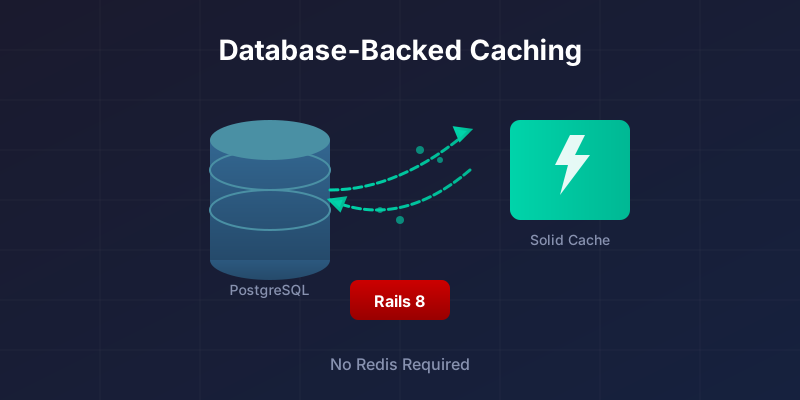
Solid Cache is the Rails 8 default cache store for new apps that keep the Solid stack, and it does something that sounds backwards: it keeps your cache in a database table instead of in Redis or Memcached RAM. Caching often exists to turn a slow query or expensive render into a cheap read, so putting the cache back into a database looks like a mistake until you work through the trade. Reads get slower than RAM. The cache gets much bigger. You run one less service.
This post covers how that trade works, how to configure Solid Cache (separate cache database, size and age limits, encryption), and what to watch after deployment.
The risk is the mirror image of the benefit: you are moving cache IO into your database. If that database is already the bottleneck, Solid Cache makes both problems worse unless you isolate the cache or tune for the churn.
Solid Cache vs Redis vs Memcached
Where the cache lives is the difference that matters: Solid Cache puts it on disk in your database, Redis and Memcached keep it in RAM in a separate service.
| Feature | Solid Cache | Redis | Memcached |
|---|---|---|---|
| Read latency | Database round trip; measure on your storage | Usually lower because it is RAM-backed | Usually lower because it is RAM-backed |
| Max cache size | Disk-limited | RAM-limited | RAM-limited |
| Database write/load | Cache reads, writes, and expiry add database IO; isolate or measure it | Cache IO stays outside the database | Cache IO stays outside the database |
| Extra infrastructure | None (uses your DB) | Redis server required | Memcached server required |
| Persistence | Durable by default | Optional (RDB/AOF) | None (volatile) |
| Encryption support | Built-in (Active Record) | Redis 6+ TLS | No native encryption |
| Eviction strategy | FIFO (size/age-based) | LRU, LFU, TTL | LRU |
| Monthly cost (managed) | No extra service if shared; separate cache DB costs whatever your provider charges | Extra managed Redis cost | Extra managed Memcached cost |
| Rails integration | Native (Rails 8 default) | redis-rails gem |
dalli gem |
| Best for | Apps wanting simplicity, large caches | Sub-ms latency, pub/sub, data structures | Pure high-throughput caching |
Solid Cache wins when removing Redis matters more than shaving a millisecond off each cache read. Redis still wins when cache latency is on the request hot path, or when you use Redis features that are not caching at all.
What Solid Cache is (and what it is not)
Solid Cache is an ActiveSupport::Cache store that persists cache entries in a database table using Active Record. You keep using Rails.cache.fetch, fragment caching, and Russian doll caching exactly as before - only the storage backend changes from RAM to disk.
The whole integration is one line: config.cache_store = :solid_cache_store. As a side effect, your cache is now durable on disk instead of evaporating when a Redis instance restarts.
Solid Cache is not trying to be a perfect replacement for every Redis usage. If you use Redis as:
- a pub/sub backbone,
- a shared coordination mechanism,
- a rate limiter,
- a distributed lock manager,
- a data structure store,
then you still need Redis (or an alternative) for those jobs.
Solid Cache is specifically about the cache store behind Rails caching APIs.
Why a database cache can make sense
A slightly slower cache that holds far more data often outperforms a faster cache that evicts too aggressively, because cache misses are expensive. Solid Cache is betting on modern SSD-backed databases being fast enough for most cache reads, while giving you far more practical cache capacity than a small memory-only Redis instance. Cache performance under real traffic depends on hit rate, eviction behavior, and operational overhead, not only raw latency.
Solid Cache leans into this: keep a bigger cache on disk, accept a small access-time penalty, and win overall by missing less and running fewer external services. A Redis instance capped at 4 GB evicts entries you will want back; a 50 GB disk cache just keeps them.
Rails 8 defaults and the "skip-solid" escape hatch
Version note: Solid Cache is configured by default in new Rails 8 applications. For older apps, bin/rails solid_cache:install configures the production cache store, creates config/cache.yml, and generates db/cache_schema.rb or db/cache_structure.sql depending on the app's schema format.
Rails 8 enables Solid Cache by default in new applications that use the Solid stack. Opt out with --skip-solid when generating a new app if you prefer Redis or Memcached. Solid Cache is a default, not a mandate - Rails still supports all cache store backends.
Whether the rest of the Rails 8 Solid Stack belongs in your app is a separate decision per component; adopting Solid Cache does not commit you to Solid Queue or Solid Cable.
How Solid Cache behaves: eviction and retention
Solid Cache uses a FIFO (first in, first out) eviction strategy instead of Redis-style LRU. It tracks size and age limits and expires the oldest entries in batches when thresholds are hit.
FIFO is not as theoretically optimal as LRU for some access patterns, but it is simple and predictable, and a larger cache compensates for less clever eviction. What you should actually check is whether your hit rate holds up once the cache is full and eviction starts. If it does, the eviction algorithm is a non-topic.
Installation and setup
Setup differs mostly by where you are starting. A new Rails 8 app already has Solid Cache wired up and needs verification rather than installation; an older app needs the gem, a schema, and a cache database. Both paths end in the same place: a cache connection in database.yml, config.cache_store = :solid_cache_store, and size limits set before any real traffic arrives.
If you are on Rails 8 already
Solid Cache is pre-configured in most Rails 8 apps. Verify three things before deploying: the database connection, the cache schema, and sane size/age limits.
A cache with no size limit will grow until it fills your disk. Set limits before deploying.
If you are upgrading an existing app (Rails 7.x or older)
Solid Cache can be added to older Rails apps.
At a high level:
bundle add solid_cache
bin/rails solid_cache:install
The installer configures Solid Cache as the cache store in the deployed environment and generates a cache configuration file (by default config/cache.yml).
It also creates a separate cache schema artifact depending on your schema format:
db/cache_schema.rbfor Ruby schema formatdb/cache_structure.sqlfor SQL schema format
After that you configure your database.yml to include a cache database (or connection) and run db:prepare during deploy to create the cache database and load schema.
Configure the cache database (recommended)
Store cache entries in a separate database to isolate IO from your core OLTP traffic. This is the recommended setup for deployed apps - it keeps cache churn from affecting your primary database's autovacuum and query planner behavior.
A typical Postgres setup might look like this:
# config/database.yml
production:
  primary: &primary_production
    adapter: postgresql
    encoding: unicode
    database: app_production
    username: app
    password: <%= ENV["APP_DATABASE_PASSWORD"] %>

  cache:
    <<: *primary_production
    database: app_production_cache
    migrations_paths: db/cache_migrate
Then in the Rails environment config:
# config/environments/production.rb
config.cache_store = :solid_cache_store
The "single database" setup (works, but understand the tradeoff)
Solid Cache can also use your primary database connection pool. In fact, if you do not specify database, databases, or connects_to, Solid Cache falls back to ActiveRecord::Base connection pool.
This is convenient, but it comes with a non-obvious behavior: cache reads and writes can participate in your application transactions. Inside a wrapping transaction, a cache write might not behave like an independent side effect, the way it always does with Redis. That is not always bad, but you need to know it is happening.
If you want caching to be operationally independent and predictable, a separate cache database is the calmer option.
Configuring cache limits: max_size and max_age
Set max_size and max_age before deploying - a cache with no limits will grow until it fills your disk. Solid Cache reads configuration from config/cache.yml (or config/solid_cache.yml), and supports:
max_age: cap the age of the oldest entry (retention style control)max_size: cap total size of cached entriesmax_entries: cap number of entriesnamespace: environment-based namespacing
A practical starting point looks like:
# config/cache.yml
default: &default
  store_options:
    namespace: <%= Rails.env %>
    max_age: <%= 14.days.to_i %>

production:
  database: cache
  store_options:
    <<: *default
    max_size: <%= 10.gigabytes %>
How big should max_size be? Start from the disk budget you are actually willing to pay for. If your cache DB has 50 GB of space, do not set max_size to 256 GB. If you are on managed Postgres with expensive storage, be conservative. If your app leans heavily on fragment caching, a larger cache pays for the disk. The right number is the cheapest one that reliably produces good hit rates.
Using Solid Cache day-to-day
Every Rails.cache.fetch, fragment cache, and Russian doll pattern works identically to Redis or Memcached - the API is unchanged. Switch your cache store and all existing cache code keeps working.
Low-level caching with Rails.cache.fetch
def expensive_dashboard_stats(company_id)
  Rails.cache.fetch("dashboard:v1:company:#{company_id}", expires_in: 10.minutes) do
    DashboardStatsQuery.new(company_id).call
  end
end
A few principles that stay true regardless of cache backend:
- Put a version in your keys (
v1,v2) so you can invalidate by changing code. - Keep keys stable and explicit.
- Use
expires_infor time-bounded staleness, even if you also use key-based invalidation.
Do not cache Active Record objects directly
Caching full model instances is a classic footgun. Attributes can change, records can be deleted, and serialization can surprise you.
Cache primitives:
ids = Rails.cache.fetch("super_admin_user_ids", expires_in: 12.hours) do
  User.super_admins.pluck(:id)
end

User.where(id: ids).to_a
Cache the IDs, reload the records. If a user is deleted or renamed between the cache write and the read, you find out from the database, not from a stale marshaled object.
Fragment caching still works the same
<% cache ["company-card", @company.cache_key_with_version] do %>
  <%= render @company %>
<% end %>
If you do Russian doll caching, keep keys and dependencies deliberate. The cache backend does not save you from dependency mistakes.
Expiration mechanics: threads vs jobs
Solid Cache expires entries in batches, and you control whether expiry runs in a background thread or via a background job by configuring expiry_method. Choose :job if you already run Solid Queue - it makes expiry visible and controllable through your job dashboard.
If you would rather not add job traffic, the default thread-based expiry can be fine. It still consumes resources on your app nodes, and that a stuck expiry thread is much harder to notice than a failing job in Solid Queue.
Encryption: when your cache contains sensitive data
Solid Cache supports built-in encryption via Active Record Encryption by setting encrypt: true in your cache config. This protects accidentally cached personal data in fragments - a common issue in Rails apps that Redis and Memcached do not address natively.
Example:
# config/cache.yml
production:
  encrypt: true
Do not flip this switch blindly. Encryption adds CPU overhead and changes failure modes (bad keys, missing credentials, rotation issues). But for some apps it is worth it.
Gotchas and risks
1) You are moving load to your database
Solid Cache shifts cache IO to your database. If your database is already the bottleneck, Solid Cache will make both caching and queries slower. Use a separate cache database or verify your primary database has headroom before switching.
Mitigation strategies:
- Use a separate cache database.
- Use a separate primary (or replica) for cache if your topology supports it.
- Put strict size and age limits in place.
- Measure database IO before and after.
Cache churn lands on the same instance your slow queries do, so the query-plan work is a prerequisite here, not a follow-up.
2) Autovacuum and table churn are real
Caches churn: writes, deletes, rewrites. In Postgres that means bloat, vacuum pressure, IO spikes, and sometimes surprising query planner behavior.
A dedicated cache database makes this easier to reason about. You can tune autovacuum for churn on that one database without worrying about side effects on your core tables.
3) Transaction semantics can surprise you
If Solid Cache uses ActiveRecord::Base connection pool, cache reads and writes can be part of a wrapping transaction.
That can make some patterns behave differently than Redis, where cache writes are external side effects.
If you want caching to be independent of request transactions, configure a separate cache DB connection.
4) Cache key discipline matters more than the backend
A bigger cache can hide key problems for a while, but unstable keys, keys built from mutable objects, missing versioning, and overly granular keys will still create weirdness. Solid Cache changes where the cache lives; it does not fix an invalidation strategy that was already broken on Redis.
When I would choose Solid Cache
I would seriously consider Solid Cache when:
- I want a Rails 8 app that is easy to operate on a single database and a single server.
- I want to remove Redis as a dependency primarily used for caching.
- I expect fragment caching to be a big win and I want a large cache capacity.
- I want encryption support for cached values without building a custom system.
That first bullet is the one doing most of the work. On a single VPS behind Kamal, every service you do not run is one you do not have to patch, back up, or wake up for.
When I would not
I would avoid Solid Cache (or isolate it aggressively) when:
- the primary database is already the bottleneck,
- the app is extremely latency-sensitive and the cache hit path must be as close to RAM as possible,
- the cache workload is huge and spiky - for example, a reporting page that warms tens of thousands of tenant fragments after every deploy - and could drown core OLTP traffic,
- the architecture is multi-region and relies on a shared cross-region cache for performance.
In those cases Redis (or Memcached) is still the right tool. Pick whichever gives you the more predictable system, not the one that feels more current.
A practical adoption checklist
If you want to roll this out safely:
- Start in staging, with realistic traffic replay if you can.
- Enable strict limits (
max_size,max_age) before you put real traffic on it. - Decide on isolation: separate cache DB vs shared pool.
- Measure DB impact: IO, latency, CPU, autovacuum activity.
- Track app metrics: cache hit rate (if available), request p95, DB time per request.
- Keep rollback cheap: switching the cache store back should be a config change, not a rewrite.
Item 6 is the one people skip. As long as going back to Redis or the memory store is a one-line change, trying Solid Cache is a low-stakes experiment.
When the Database Is the Right Cache
For a new Rails 8 app running on one or two servers, I would take the default: Solid Cache on a separate cache database, max_size around 10 GB, max_age at 14 days, and no Redis in the stack at all. I would revisit that only if the database started showing IO pressure from cache churn, or a profiler put cache reads near the top of request time.
Solid Cache shifts load rather than removing it, and it does nothing for bad keys or missing invalidation. But trading a few milliseconds on cache reads for one less service to install, monitor, and pay for is a good deal for most Rails apps, and the bigger cache often wins the hit-rate game outright.
If you do evaluate it, put the cache on its own database, watch IO and autovacuum rather than the hit rate alone, and keep the rollback to Redis a config change rather than a project. Those three turn the decision into something you can reverse in an afternoon, which is the only reason to make it quickly.
Further Reading
- Solid Queue in Rails 8: Setup Notes and Trade-offs
- Deploy Rails 8 with Kamal to a VPS: Setup Runbook
- TimescaleDB vs Postgres in Rails: When You Need It
- Rails PostgreSQL Performance: Start With the Query Plan
- Hotwire and Turbo in Rails: Where Server-Rendered UI Fits - The frontend half of the Rails 8 stack
- Solid Cache GitHub Repository